AI keeps shipping the same generic UI, here's the cure

i'm going to show you why every AI generated UI on the internet looks like one website wearing 40 different icons, and the simplest unsexiest tool that fixes it for you.
everyone's fighting generic output the same way right now, writing longer prompts, pasting screenshots into the chat, switching from codex to claude code and back, and still shipping the same rounded-corner shadcn slop and it's a clear tell sign of AI low effort.
let's see why that keeps happening and how to break the cycle for good
specifically you are going to walk away with all of this:
- the actual mechanism that makes AI UI generic, it is not the model and it is not your prompt
- the 3 failures every blind agent commits on a react codebase, and which one is quietly dissolving your design system
- the unsexy AND free tool that fixes the problem, installed with one command
- the exact context payload it hands your agent and why it saves you tokens and bugs
let's get into it
your model is not really the problem, its eyes are
let me tell you a truth about AI models
your UI does not come out generic because the model is weak, it comes out generic because the model is blind
an agent generating UI with no pointer into your codebase is running statistical averaging, it produces the most probable interface given everything it absorbed in training, and the most probable interface is the exact center of the distribution... rounded cards, muted grays, a gradient hero, the layout every other blind agent reached for this week
it can't do better because it's trained to do exactly that, it's a data issue not an intelligence issue
and it's like expecting your LLM to be a top direct response copywriter from the heck go (it can't do it without extra help)
prompting harder does not move you off the center because it's fundamentally using the same information it has, you get the same layout with maybe a 1-2% improvement.
and yes, skills can help but again you have a data problem not an intelligence problem.
but listen, everyone is running the same 4 frontier models, so the difference between those have beautiful aesthetic UI and those that have the generic AI slop UI is not the models.
it is the difference between an agent that can see which code renders which pixel and an agent that guesses
narrowing down the scope of work makes the agent perform 100% better than if it has to look at everything at once to make a small change.
a blind agent fails the same 3 ways every session
failure 1: the wrong target
you describe UI in words, "the third card in the pricing grid, no not that one, the one with the badge on it"
the agent greps for "pricing", finds 4 files that mention it, picks the plausible one, and confidently edits a component that has not rendered on that page since march
you watch the screen, nothing changes, you re-describe the element with more words, it edits a second wrong file, and 20 minutes of your session evaporate into a guessing game the agent cannot win because nobody gave it the map
not dumb, just not properly scoped
and remember you might have features and elements that are hidden but not yet removed entirely from your ecosystem
for the agent it can't tell if it's in use or not
failure 2: regeneration instead of editing
when the agent cannot find your Button it does something worse than failing, it writes a new one
now you have 2 buttons, then 3 cards, then a second modal that is 90% like the first one, and every regenerated lookalike is pulled from training priors instead of from YOUR system, so each copy drifts a few pixels further from the thing you designed
this is the failure that compounds, a design system does not die in one rewrite, it dies over time
failure 3: prior-fill
every gap in the agent's context gets filled with the most probable thing
it does not know your spacing scale, so you get tailwind defaults, it does not know your brand palette, so you get indigo-600, it does not know your voice, so button copy arrives in that polite nothing-tone every generated interface shares
and yes, you should be adopting Google's design.md method to decrease the odds of this happening but it doesn't fix the other first two failures
the generic look is not a style choice the model made, it is the sum of a hundred small gaps in what it knew about your app
and blindness compounds
react-grab fixes this with a simple copy and paste
 — "A tool that can grab elements from your site and direct your agent"
react-grab is an open source tool by aiden bai with a one-line pitch, copy any UI element for your agent
the entire workflow is 3 steps, hover over any element in your running app, press cmd+C on mac or ctrl+C on windows, paste into your agent
let me make this concrete, here is the payload that lands on your clipboard when you grab a link in a login form:
<a class="ml-auto inline-block text-sm" href="#">
  Forgot your password?
</a>
in LoginForm at components/login-form.tsx:46:19
element, component, file, line, column
the agent stops guessing which of your 12 links you meant and opens login-form.tsx at line 46 like a colleague who was standing behind you when you pointed at the screen
this basically removes all the unnecessary guesswork and wasted tokens
personally i would rather compile a list of pointers than have to go back to my agent over and over again, risking regressions in my code
pointing beats describing, every time
setup is one command, npx grab@latest init, with manual installs for next.js app router, next.js pages router, vite and webpack, and it loads ONLY in development, your production bundle never sees the grabber
this is a simple tool that has changed how i create premium UI and UX (while being shit at UI/UX)
Related articles

How to Build a Company OS using Kimi K3 (Builder's Guide)
TLDR; If you don't want to read a 4480-word article, here is the GitHub repo which you can give to your agent. https://github.com/codejunkie99/meridian-company-os

14 Steps That Unlock a 2.8T Open Model (and where it beats everything)
Follow me I break down every major AI release without the hype and hand you the prompts to test it yourself: [@adiix_official](https://x.com/adiix_official). Bookmark this before it scrolls away.
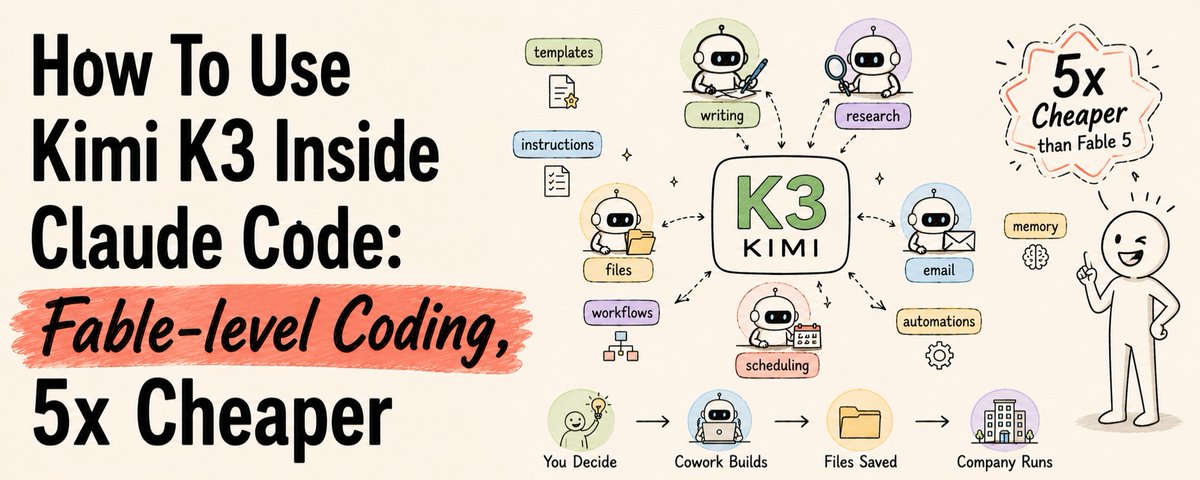
How To Use Kimi K3 Inside Claude Code (Fable-level Coding, 5x Cheaper)
Fable 5 → understands the problem, creates the plan