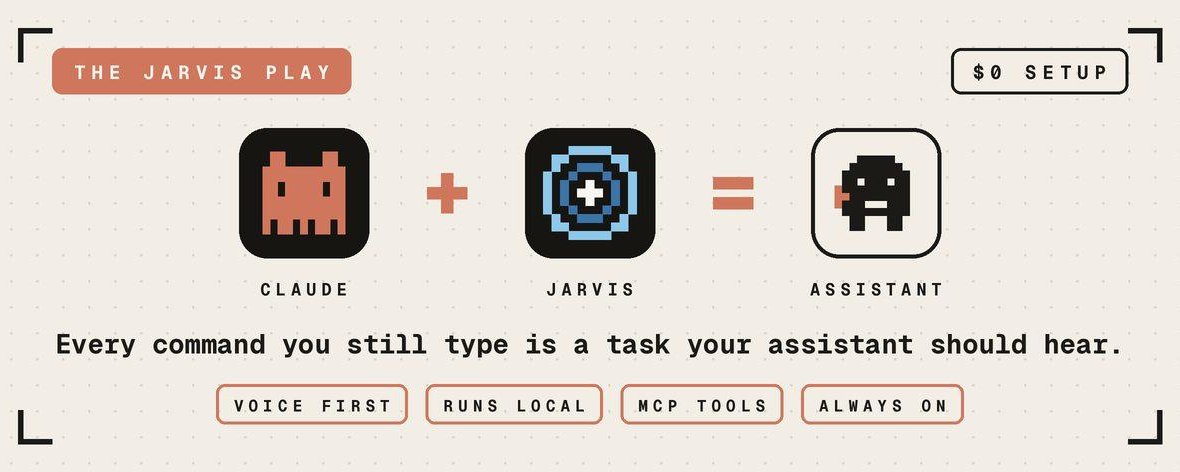
Claude just replaced a $5,000/month executive assistant. One Mac mini, $0 setup, all voice.
- It Joins Conversations Instead of Waiting for Commands
Alexa and Siri work like walkie-talkies: command in, answer out.
Jarvis sits in the room like a third person. You're debating weekend plans with a friend, you ask "Jarvis, what do you think?", and it answers in context because it heard the whole discussion.
Say its name anywhere in the sentence and cut it off mid-answer with "stop"
Follow up without repeating the wake word
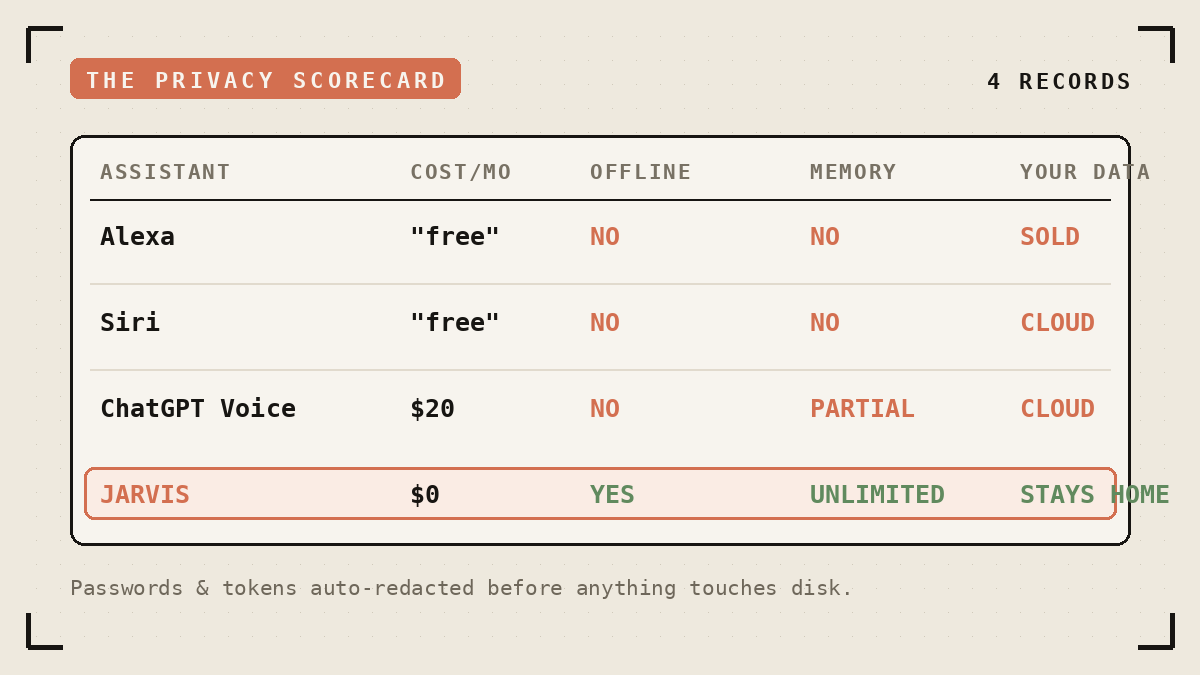
No assistant on the market today, from Amazon, Apple or OpenAI, handles a live group conversation this way.
2.The Privacy Math
All processing happens on your machine. Jarvis asks for no account and no subscription.
It scrubs passwords, emails and tokens before writing anything to disk.
Paranoia mode: disable web search and location, and the one network connection left is localhost.
Your voice stays on your laptop because the software has nowhere to send it. You skip the trust exercise.
- What Else You Get for $0
Unlimited memory: Jarvis saves each conversation to a local knowledge graph and ships a Memory Viewer GUI to browse it
Free offline dictation: hold a hotkey, speak, release, and the text lands in any app. Cancel your $12/mo WisprFlow. It strips the "um"s too.
MCP integrations: Home Assistant, Gmail, Calendar, GitHub, Slack, Notion, databases, plus 500+ apps via Composio. Say "Jarvis, turn off the living room lights" and the lights go off.
Voice cloning: feed it a 3-10 second .wav and it answers in that voice
99 languages via Whisper
- The Setup Guide
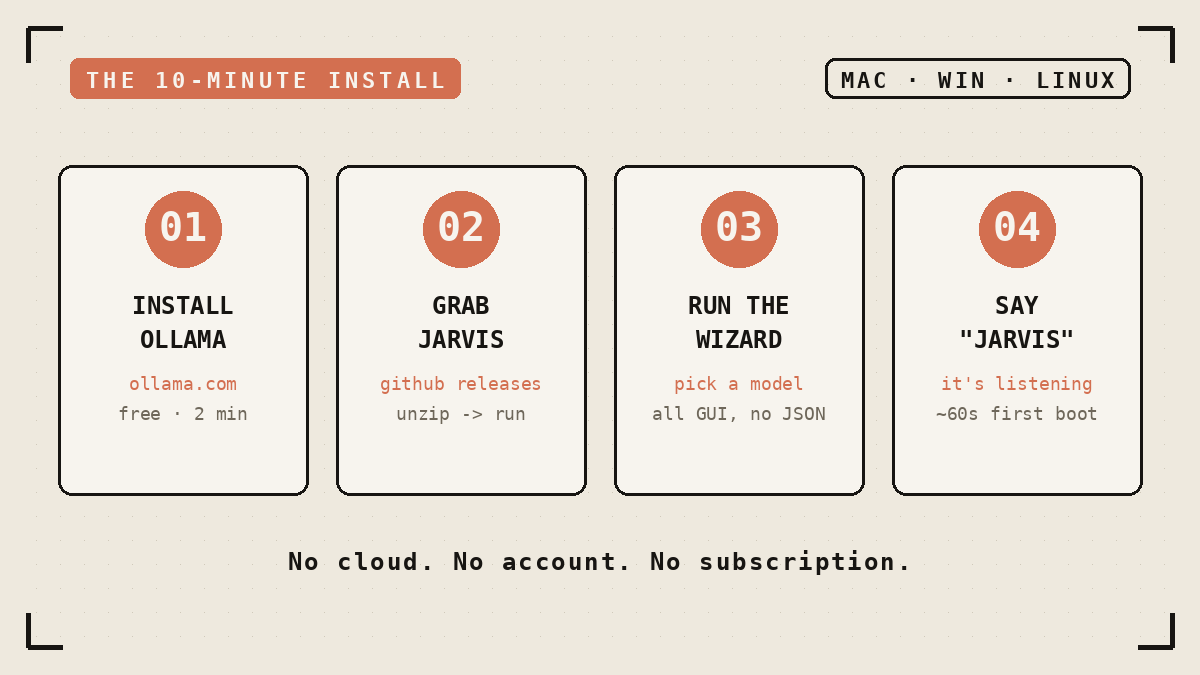
You need: a Mac, Windows or Linux machine with 8GB+ VRAM. A regular MacBook or Mac mini qualifies.
Step 1. Install Ollama. ollama.com/download. Free, 2 minutes, the only prerequisite.
Step 2. Download Jarvis. github.com/isair/jarvis → Releases:
Windows: Jarvis-Windows-x64.zip → extract → Jarvis.exe
macOS: Jarvis-macOS-arm64.zip → Applications → right-click → Open
Linux: tar -xzf → ./Jarvis/Jarvis
Step 3. Run the wizard. The first launch walks you through model choice, speech recognition, dictation hotkey and MCP servers. You click through a GUI and edit zero JSON.
Step 4. Say "Jarvis." It listens from the moment it opens. The first boot takes about 60 seconds while models warm up. After that it responds on the spot.
Optional power move, smart home in 6 lines:
- The Honest Part
You talk to it or you don't use it: text chat is missing. Mobile apps are missing too. macOS gets features first, and dictation is broken on macOS 26 right now.
The developer has shipped 38 releases in the open and keeps closing these gaps month by month.
The Close
A $5,000/month assistant sleeps and takes weekends.
This one runs around the clock on a Mac mini, keeps a record of each conversation, and reports to you alone.
You need 10 minutes.
github.com/isair/jarvis
Prompts
{
  "mcps": {
    "home_assistant": {
      "command": "mcp-proxy",
      "args": ["http://localhost:8123/mcp_server/sse"],
      "env": { "API_ACCESS_TOKEN": "YOUR_TOKEN" }
    }
  }
}
Links
Related articles

Stop Using Fable 5 Like a Chatbot: How to Build an Agent System That Improves Itself
*Loops, workflows, routines, and the real difference between an agent that works for five minutes and one that keeps working after you close the laptop. Grounded in how Anthropic actually says to bui…

Grok just became dangerous: 18 Repos that prove it.
Most people still think Grok is a chatbot bolted onto X.

Your Next Customer Might Be an AI Agent
Product-led growth (PLG) made software self-serve for humans.