Every Morning I Re-Taught Claude My Whole Life. It Forgot by Lunch. One File Ended the Loop

The complete 2026 second-brain build — every prompt, every command, copy-paste ready.
Everyone using Claude or ChatGPT does the same ritual. Open a tab. Explain who you are, what you do, what you are working on. Get an answer. Close the tab. Tomorrow, start from zero.
Over a year that is roughly 200 hours spent teaching a machine things it should already know.
There is a setup that ends it. One file on your computer, and the AI never forgets you again. It does not guess. It does not hallucinate your context. It knows. Below is the entire build. Save it, because you will run it tonight.
Why this works, in one idea
Right now the AI reads your files, answers, and forgets. Next time it reads the same files from scratch, burning tokens on knowledge it had yesterday.
Andrej Karpathy published a public gist in April 2026 with the fix. He called it the LLM Wiki. It crossed 5,000 stars in days, and it is verifiable, not a rumor.
The idea is one sentence: the AI cleans, structures, and links all your data once, then only ever works from that clean base.
His analogy is the whole thing. Raw documents are source code. The wiki is the compiled program. You do not recompile a program every time you run it.
What you get: 70 to 90 percent fewer tokens on repeat queries, sharper answers, automatic links between documents, a visual graph of everything you know, and a system that grows without you touching it.

The setup, step by step
Step 1 — Install the two tools
Claude Desktop: go to claude.com/download, install, get the Pro plan, open the Code tab.
Obsidian: go to obsidian.md, it is free, create a new vault, name it brain.
Why Obsidian and not Notion. It stores everything as plain .md text files on your own drive. Any AI can read them. You can switch models tomorrow and lose nothing. No cloud lock-in, ever.
Step 2 — Connect Claude to your vault
In Obsidian: Settings, Community plugins, Browse, install Local REST API, enable it, copy the API key.
Then run this once in your terminal:
claude mcp add-json obsidian-vault '{
  "type": "stdio",
  "command": "uvx",
  "args": ["mcp-obsidian"],
  "env": {
    "OBSIDIAN_API_KEY": "YOUR-KEY-HERE",
    "OBSIDIAN_HOST": "127.0.0.1",
    "OBSIDIAN_PORT": "27124"
  }
}'
Test it. Tell Claude: list every file in my Obsidian vault. If it reads your notes back, you are connected.
Step 3 — Upload yourself into the system
An empty brain is useless. Do not write your profile by hand. Make the AI interview you and write it. Paste this:
You are setting up my second brain. Interview me ONE question at a time to build my profile. Ask about: who I am and what I do, my goals this year, how I want you to talk to me, my strengths and weaknesses, and my current projects. Wait for each answer before asking the next question. When finished, write everything into a file called CLAUDE.md at the vault root, structured with headers, so you load it automatically every session.
You will end up with a file like this:
CLAUDE.md — Second Brain Operating Instructions

Who You Are
You are [name]'s AI agent. Not a generic assistant — a thinking partner with full context.

My Profile
Role: [what you do]
Goals 2026: [your goals]
Working style: [how you like to be talked to]

Current Projects
[[project-1]] — description and status

Knowledge Base
Read wiki/hot.md first.
If that is not enough, read wiki/index.md.
Only drill into individual pages when needed.
Claude reads this first, every session. It never starts from zero again.
> People spent years hunting the perfect prompt. The answer was never how you ask. It was what the AI already knows about you before you open your mouth.

Step 4 — The folder structure
brain/
├── CLAUDE.md          <- your profile, loaded every session
├── raw/                <- raw material you dump in
├── wiki/                <- the clean, linked knowledge base
│   ├── hot.md           <- context cache, read first
│   └── index.md         <- the page index
├── youtube-channel/     <- a project
│   ├── CLAUDE.md        <- project-specific context
│   ├── Inputs/
│   ├── Process/
│   ├── Outputs/
│   └── Feedback/
└── freelance-clients/   <- another project
The trick most people miss: when you work on one project, open only that folder as its own vault. Claude sees one clean project instead of your entire life.
Step 5 — The commands you will use every day
ingest [file] — feed a source. Claude turns it into 8 to 15 linked pages.
what do you know about [X] — ask your own brain. It scans the index, pulls the pages, and cites its own notes.
save this — turns the current conversation into a permanent note.
lint the vault — cleanup pass: dead links, orphan pages, stale claims, contradictions.
At the end of each session Claude refreshes the hot cache. The next session opens with full context. No recap, ever.
Step 6 — Put it on autopilot
In Claude Desktop, open Schedule, add a new task:
Frequency: Daily, 7:00am
Folder: your vault
Prompt: Check my vault. File anything new. Link it. Flag notes older than 90 days. Surface any two notes that contradict each other. Write me a 3-line summary of what changed.
You wake up and the brain has already worked.
Step 7 — One brain, every project
This is what 95 percent of people miss. Point every project at the same vault. Add this to any project's CLAUDE.md:
Knowledge Base
Path: ~/path/to/brain
When you need context not in this project:
Read wiki/hot.md first.
If not enough, read wiki/index.md.
Only then drill into specific pages.
Your code, content, research, and finances all drink from one knowledge base. Read once, use everywhere.
The 5 mistakes that kill it
This is the part no one warns you about. Every setup that failed made at least one of these.
- Empty vault syndrome. You build the folders and never feed it. A brain with nothing in it is just folders. Ingest ten real things in week one.
- Writing your profile by hand. It comes out generic. Let the AI interview you — the specifics it drags out of you are the whole point.
- Giving the agent write and delete access on day one. Grant read-only. "Do not delete this" is advice, not a safeguard. If an agent can delete a file, eventually it will.
- One giant vault for everything. Claude drowns in the chaos. Split by project, open one at a time.
- Quitting in week two. The first two weeks feel useless. Then the graph crosses a threshold and starts citing things you forgot you wrote. Everyone who quit, quit right before that.
The honest 30-day timeline
Day 1 — five pages, a tiny graph. It knows the basics about you.
Week 2 — forty plus sources. The graph becomes a web. Answers start citing things you forgot you read.
Month 2 — you stop googling things you already know. You ask your vault first, and it answers in two seconds with sources. The brain starts feeding you.
Same subscription. Same price. A completely different machine.
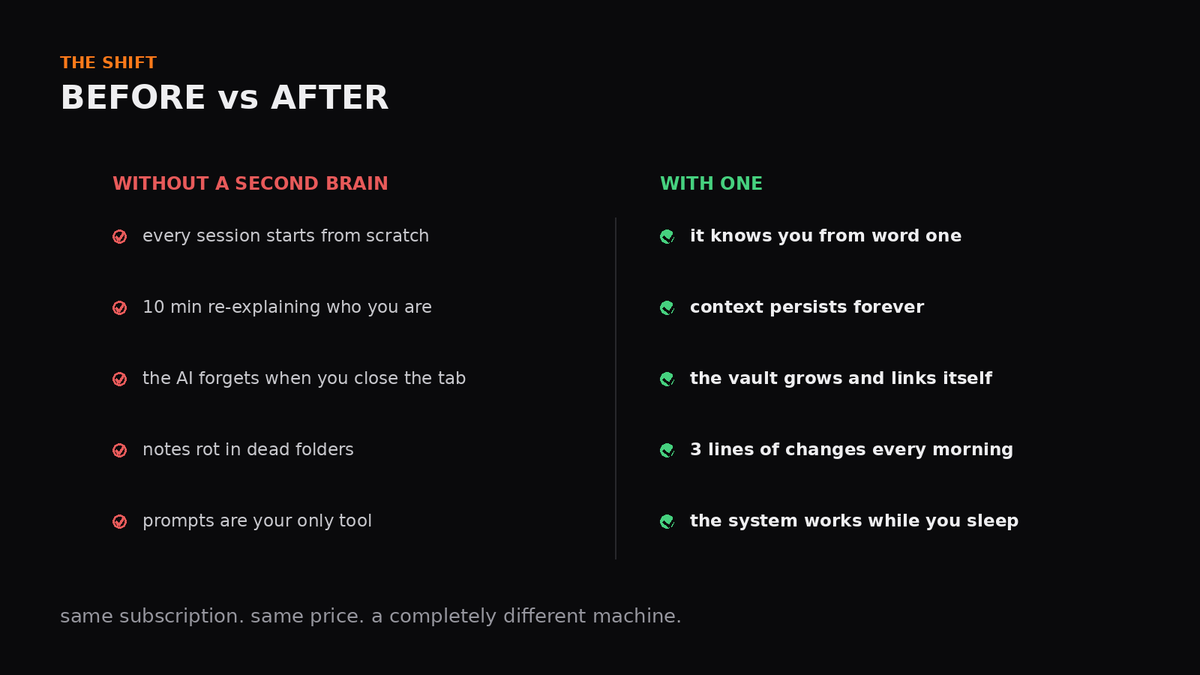
Most people will read this and build nothing. The ones who do will open their graph in a month and freeze, because it will know things about them they had already forgotten.
The edge was never a sharper prompt. It was everything the machine knew before you asked.
Save this. Follow @dastin0x — the next build opens the exact CLAUDE.md that runs mine, line by line.
Related articles


One Prompt. One Button. A Fully Deployed System. This Is What AI Engineering Looks Like in 2026
Six months ago this required a backend developer, a DevOps engineer, and two weeks. Today it takes a single sentence and Claude. Here's the complete architecture - and why most developers haven't fig…

Lock in your room for 3 month to become AI Engineer (step-by-step plan below)
Eight months ago I dropped $2,400 on a 12-week AI bootcamp, kept a $59/month subscription to a "prompt mastery" platform running for four months straight, and bought a $349 lifetime deal for a course…