How to Actually Use Claude: 6 Workflows That Unlock the Other 90%

Most people use Claude like a search engine.
Type question. Get answer. Close tab.
That's the lowest-value way to use it - and it's why they'll tell you "AI is overrated" while someone else quietly runs their whole decision-making process through it.
The gap isn't the model. The gap is the workflow.
I'm Juliia - I run my entire content and research pipeline on Claude, and everything below is what survived six months of daily use. No theory, only what I still use every week. DMs are open.
One filter before we start: this is not a list of "10 fun prompts." It's a system for thinking. If you're here for quick wins, this isn't for you.
The Mental Shift: Stop Asking for Answers
A chatbot gives you answers. A thinking partner improves your thinking.
The difference is one habit: never accept the first output as the product. The first output is raw material. The value comes from the loop you run on top of it.
Instead of: "Write me a business plan." Try: "Here's my business plan. Find the three weakest assumptions and attack them."
Same model. Completely different return.

Key takeaway: the model's ceiling is set by how you use it, not by what it knows.
Workflow 1: Make It Interrogate You First
The biggest mistake is answering mode by default. Your idea is vague, Claude fills the gaps with generic assumptions, and you get a confident answer to a question you never actually asked.
Flip it. Force questions before answers.

This does two things. Claude's output gets sharper because it works from your real constraints. And half the time, answering question three, you realize you didn't understand your own problem. That realization is the product.
Key takeaway: the fastest way to clarify your thinking is to let the model interrogate it.
Workflow 2: Red-Team Your Own Plan
Everyone uses AI to confirm what they already believe. That's a mirror, not a partner.
Before any important decision - pricing, launch, job change - I run the same ritual:
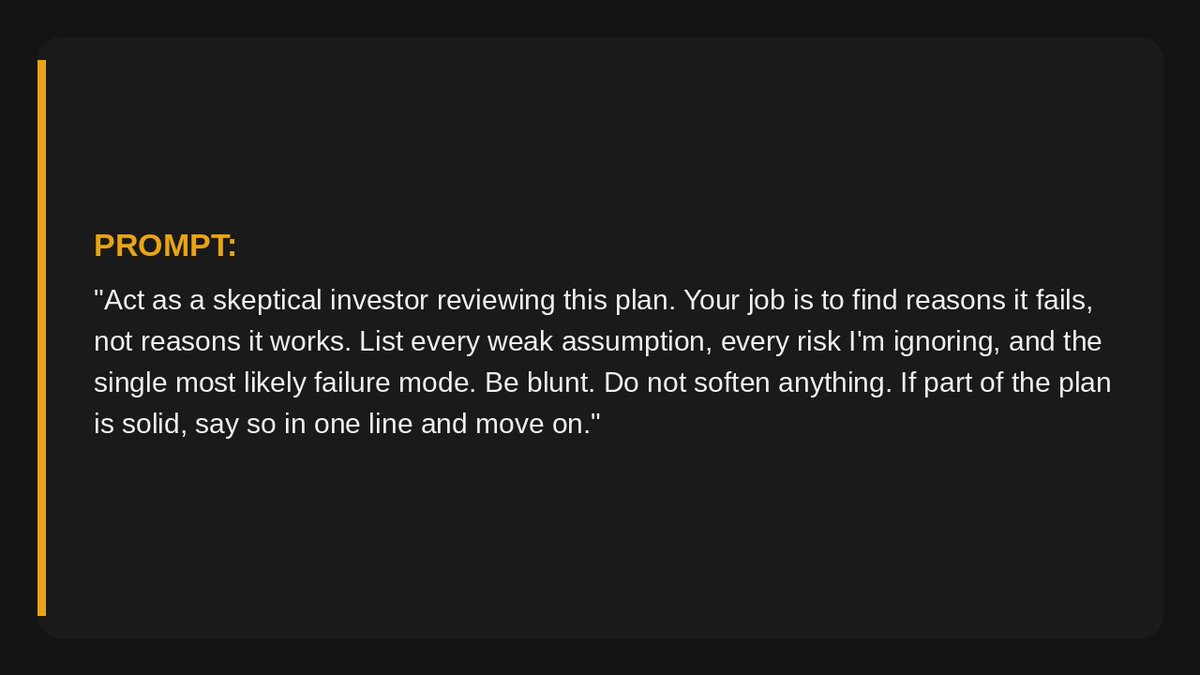
The last two sentences matter. Without them, you get polite criticism sandwiched in compliments. With them, you get the review your smartest, most honest friend would give you - the one most people never hear before it's too late.
While most people ask AI "is this good?", the few who understand the game ask "how does this die?"
Read it again.
Key takeaway: confirmation is free everywhere. Structured disagreement is the rare asset.
Workflow 3: The Critique Loop
Never ship the first draft. Run the loop:
- Generate - write the draft (or let Claude write it).
- Attack - new message: "Critique this draft as a demanding editor. Rank the three weakest points."
- Rewrite - "Now rewrite it fixing only those three points. Change nothing else."
- Repeat once if needed. Two passes is usually the ceiling - after that you're polishing noise.
Before: one generic draft in 2 minutes. After: a third-iteration draft in 10 minutes that reads like it took a day.
Now the math. Say editing your own work takes 3 hours a week and your time is worth $50/hour. The loop cuts that roughly in half:
1.5 hours saved × $50 × 4 weeks = ~$300/month of your time, reclaimed by one habit.
Not income - reclaimed attention. Point it at whatever pays you.

Key takeaway: quality lives in the second and third pass. Most people never run them.
Workflow 4: The Decision Ledger
Big decisions deserve structure, not vibes. When I'm choosing between options, I make Claude hold the structure so my head is free to actually think.
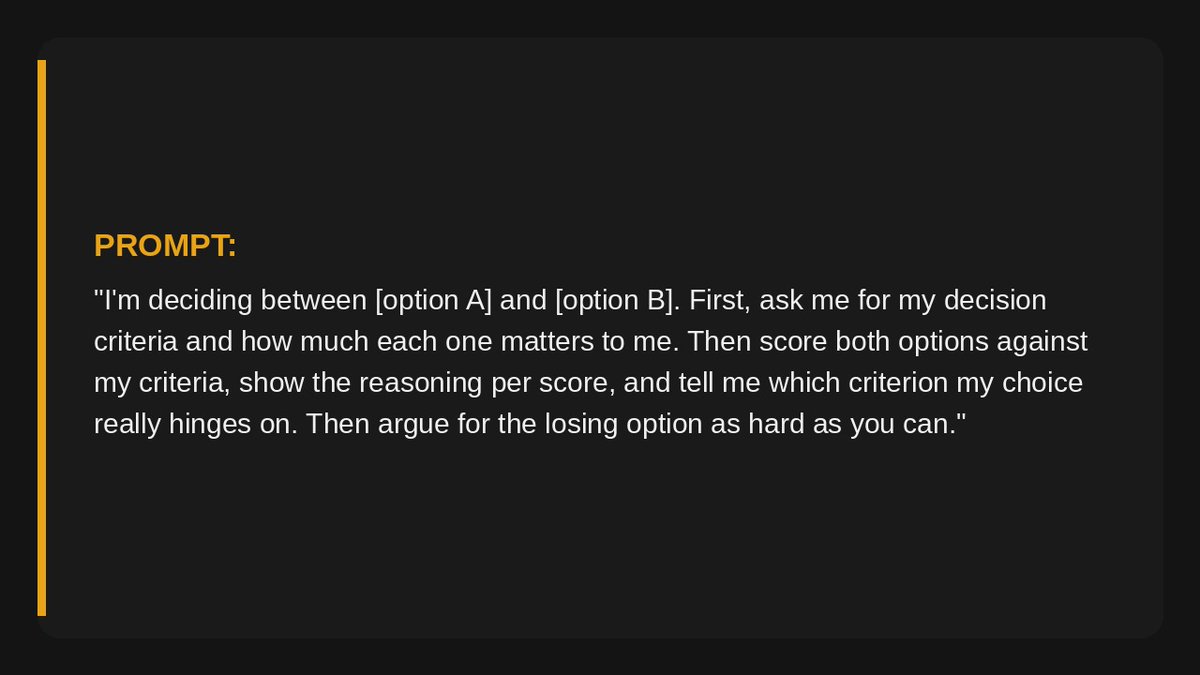
That last line is the trick. If the losing option's best case doesn't move you, you've decided with confidence. If it does move you - you just avoided a mistake.
Key takeaway: don't ask the model to decide for you. Ask it to expose what your decision depends on.
Workflow 5: Give It a Memory
A thinking partner who forgets everything between sessions is a stranger with good vocabulary.
Fix it with a context file. In Claude Projects (or a CLAUDE.md file if you use Claude Code or Cowork), keep a living document:
→ who you are and what you're building → your current goals and constraints → your standards: tone, formats, what "good" looks like → decisions already made, so it stops relitigating them
Ten minutes to set up. From then on, every conversation starts at depth instead of at zero. This single step separates "I tried Claude, it was okay" from the people who get compounding value - the model literally knows more about your situation every month.
This is for everyone, not just developers. A context file is just a text document.
Key takeaway: context is the multiplier on every other workflow in this article.
Workflow 6: Analyst on Your Own Documents
The most underused move: feed Claude your own material and ask it to find what you missed.
Drop in a contract, a competitor's pricing page, a year of your own notes, your bank statement export. Then:

I've watched this catch an auto-renewal clause in a contract and a duplicate subscription in a statement export. Not because the model is magic - because it reads every line with equal attention, and you don't.
Key takeaway: you don't need new information. You need a second reader for the information you already have.
Where I'll Be Straight With You
→ Claude still gets things wrong with full confidence. These workflows reduce that - the red-team and analyst prompts especially - but verify anything that touches money, law, or health. → The critique loop has diminishing returns. Two passes, rarely three. Past that you're rearranging furniture. → A context file takes maintenance. Stale context quietly produces stale advice - prune it monthly. → None of this replaces judgment. It sharpens the input to your judgment. The decision is still yours, and so are the consequences.
Most People Will Close This Tab
Here's the honest split.
Most people will read this, nod, and go back to typing questions into the chat box like it's 2023.
A few will set up a context file tonight, run the red-team prompt on the decision they're currently avoiding, and feel the difference in a week.
The model is the same for everyone. The workflow is the edge.
Which of the six would change the most for you if you ran it this week? There's no wrong answer, but there are very revealing ones - drop yours below.
If this was useful - follow. Tomorrow I'm covering a Claude setup mistake that quietly wastes most of its capability - the fix takes five minutes.
Related articles


How to Build an AI-Native Company: Hiring, Standards, and Cadence
*We spent a year running hackathons, AI trainings, and office hours. But nothing changed until we made AI capability a requirement.*

38 Ways to Find $1M Startup Ideas:
1. Scrape 1 and 2-star G2/Capterra reviews of popular SaaS tools to find broken features or unmet needs.