How to Generate 25 Websites in One Hour Using Claude Fable 5 + Loop Engineering

Learn how to automate website creation with Claude Fable 5 using Loop Engineering This guide covers the workflow, architecture, and code needed to generate and deploy dozens of websites with minimal manual work
Building Websites Has Changed
A few years ago, building a website meant opening a code editor, designing layouts, writing content, finding images, deploying manually, and repeating the entire process every time you wanted another site.
Today, AI agents can automate almost every step.
Using Claude Fable 5 with Loop Engineering, you can build an autonomous workflow that:
Researches a niche
Collects design inspiration
Generates content
Creates images
Writes HTML/CSS
Deploys the website
Repeats the process automatically
Instead of creating one website you are creating an entire production system
What is Loop Engineering?
Loop Engineering is the practice of giving an AI agent a repeatable workflow instead of a single prompt.
Instead of saying:
Build me a website
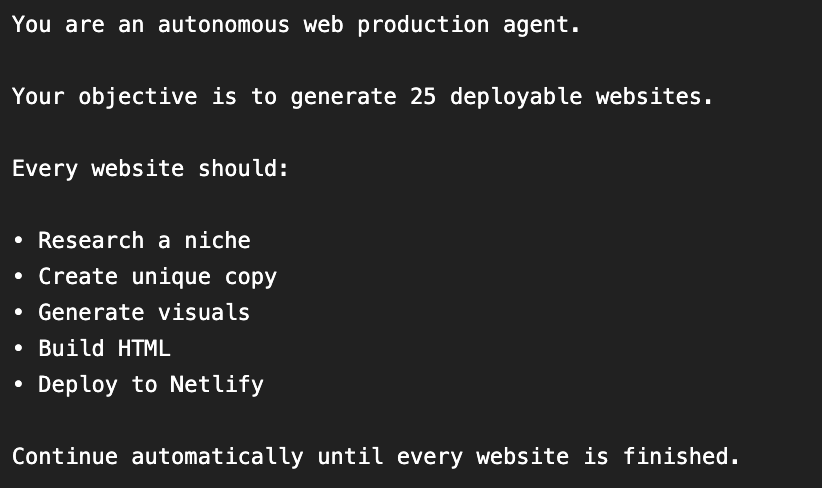
You tell Claude:
Find a niche
Research it
Generate content
Create assets
Build the website
Deploy it
Repeat 20 times
Once the workflow starts the AI keeps executing until every iteration is complete
Thats the real power
Why Claude Fable 5?
Claude Fable 5 is built for long-running agent workflows.
Compared to previous models it offers:
Massive context window
Better long term memory
Reliable tool calling
Better structured outputs
Improved error recovery
That means it doesn't lose track after iteration #7 or #15
It simply keeps going
The Workflow
The automation follows one simple loop
↓
Research niche
↓
Generate website content
↓
Generate images (Higgsfield)
↓
Build HTML/CSS
↓
Deploy to Netlify
↓
Repeat
Instead of manually controlling every step Claude becomes the orchestrator

The Prompt Structure
A good Loop Engineering prompt isn't just instructions.
It's a program written in natural language.
-
Define the Agent
-
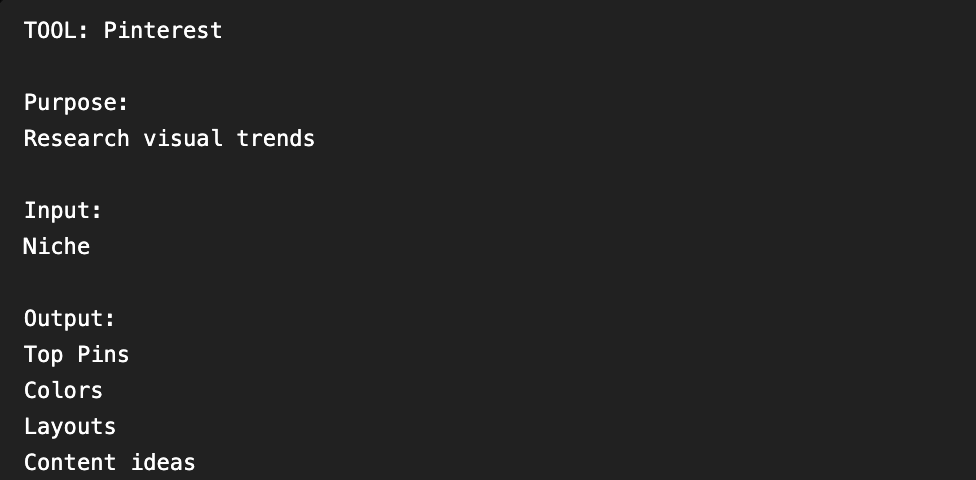
Define the Tools
Explicit tool definitions make the workflow much more reliable
Define the Niches
Claude can either generate niches or you can provide them.
Example:
Every niche becomes one complete website
The Loop
This is where Loop Engineering begins
Notice the AI isn't waiting for your confirmation
It simply keeps working
HTML Generation Example
Claude can generate the website automatically
Output Format
Every iteration produces structured output
Keeping results in JSON makes debugging and scaling much easier
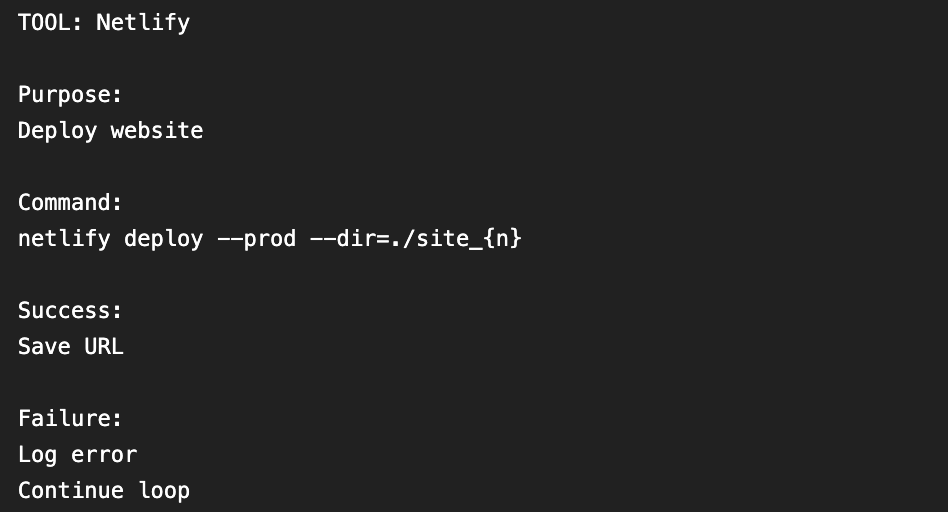
Deployment Flow
Once HTML is generated:
Claude
↓
Generate files
↓
Netlify CLI
↓
Website Live
Example deployment command:
Repeat
Repeat
Repeat
Thats Loop Engineering
Common Problems
Claude Stops Midway
Usually caused by:
Token limits
Context overflow
Solution:
Split large jobs into smaller batches
Websites Look Similar
Cause:
Poor niche variation
Fix:
Use highly distinct micro niches
Image Quality is Generic
Cause:
Weak prompts
Fix:
Pass Pinterest colors and design references into Higgsfield instead of only the niche name
Prompts
NICHES = [
    "urban mushroom growing",
    "minimal travel gear",
    "AI productivity",
    "healthy meal prep",
    "tiny homes",
    "remote work",
    "pet photography",
    "coffee roasting"
]
{
  "niche": "urban mushroom growing",
  "status": "success",
  "hero_image": "hero.png",
  "deployment": "https://example.netlify.app",
  "timestamp": "2026-07-09T12:00:00Z"
}
for niche in NICHES:

    pinterest_data = search_pinterest(niche)

    brief = generate_site_brief(
        niche,
        pinterest_data
    )

    hero_image = higgsfield.generate(
        prompt=brief
    )

    site = build_html(
        brief,
        hero_image
    )

    netlify.deploy(site)

    log_results(niche)

    sleep(3)
<!DOCTYPE html>
<html>

<head>
    <title>Urban Mushroom Growing</title>
</head>

<body>

<h1>Grow Fresh Mushrooms at Home</h1>

<p>
Learn everything about growing mushrooms
with beginner-friendly guides.
</p>

<button>
Start Learning
</button>

</body>

</html>
netlify deploy --prod --dir=./site_1
Related articles

How to Build an AI-Native Company: Hiring, Standards, and Cadence
*We spent a year running hackathons, AI trainings, and office hours. But nothing changed until we made AI capability a requirement.*

Loop Engineering: The Habit Anthropic Engineers Build Claude Code With
*It builds, checks its own work against a finish line you set, and fixes what's broken until it's done. Same habit, every project, whether or not you write code.*

The End of Prompting: The Beginning of AI Loops
Most people are still trying to find the perfect prompt.