How to Make a Highly Successful Mobile App ($0 to $3k in 45 days)

The product ain't special, but it's important.
I've scaled my mobile app to just under $3k MRR in 45 days.
And just under $4k/m in actual revenue!
There's a lot of sauce here that's not been shared.
These tactics are all legit, and will print $$$.
This is everything I know on the mechanics of a successful app.
The First Mechanic: App Store Page.
This is the first impression a user has.
And first impressions matter a lot.
Your page has 4 elements.
In order of importance, these are:
-
App Screenshots.
-
Reviews.
-
Name & Subtitle.
-
App Icon.
What makes a good app screenshot?
- Contrast & Engagement
-
All examples of high conversion screenshots, you'll notice a "3d effect".
-
Elements "pop out" from the phone: a chip, a slider, a dialog box.
-
The user needs to understand your app by glancing at the first image.
- Good design.
-
This is subjective, but there are general patterns you can follow!
-
I covered this in another article.
-
A great tip is to use AI to enhance your mockups.
- Colour & Vibrancy.
- Humans like pretty things!
Reviews.
Reviews are, in my opinion, the 2nd most important signal.
I often get asked if no reviews is bad. No!
Reviews are just one signal for deciding whether to download an app.
A lack of reviews is not inherently a bad thing.
Only bad reviews are bad.

If your app has below ~4 stars, I'd consider a resetting in an update.
Name & Subtitle.
-
This is less important for the product.
-
No one really cares what your name is.
-
They care about the impact on their life.
However: Your name and subtitle are critical for ASO!
These are the biggest dating apps in the world.
And they ALL use the same keywords:
- Dating, App, Chat, Singles, People, Meet.
Note: There are no repeated words in title & subtitle!
App Icon.
This honestly doesn't matter much, I think.
In the above example, the only good one is Tinder.
The rest are generic & wouldn't be understood alone.
What does a big H mean? or a beehive symbol?
It's more for longer term "brand recognition".
Don't spend too much time on this at first.
The Second Mechanic: Onboarding
Your onboarding should do two things:
-
Convince the user that they have a problem.
-
Convince them that your app is the solution.
Patterns of Success:
This is highly dependent on your niche.
So, the best advice is to do some research!
-
Do not copy the competitor 1:1.
-
Follow their general ideas & improve on them.
-
Roughly 12-13 screens.
-
More screens can improve conversion.
-
Less reach paywall, but ones that do have higher intent.
-
This is a balance and why it's important to measure it.
-
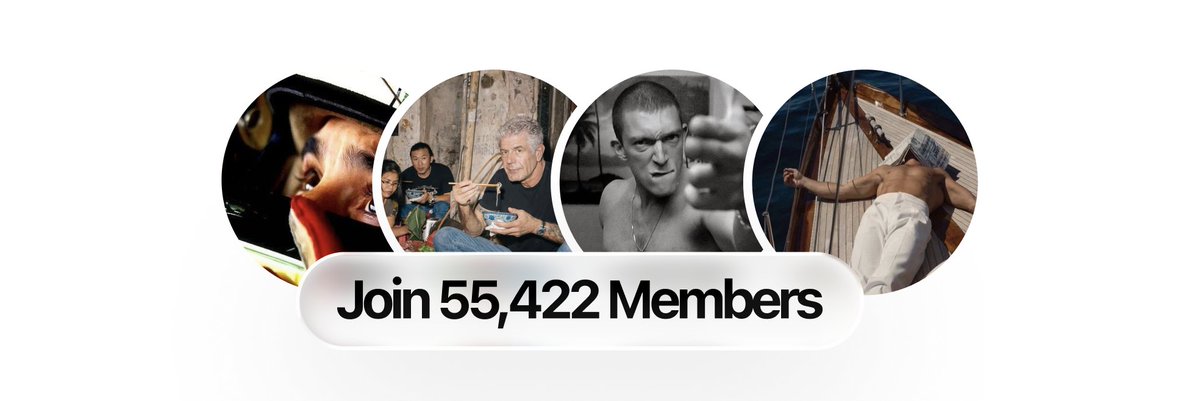
Social proof (if you have it).
-
Include a quiz, but make it frictionless.
-
Use images instead of text.

-
Quiz should not be more than 3/4 screens.
-
Measure the entire funnel with PostHog.
-
You should aim for 75%+ to reach your paywall.
Every screen needs to fight for it's life.
-
There should be no fluff.
-
Sell the outcome NOT the product.
-
This is the most common issue with the founders I work with.
The most creative & magical onboardings worth studying:
-
PrayerLock: A true masterclass of conversion.
-
CalAI: A data driven miracle.
-
Glowly: Looksmaxxing moneymaxxing sauce.
-
Feeld & Hinge: For necessary friction done well.
-
Trading212 & Monzo: Complex apps at scale.
The Third Mechanic: Paywall.
This is where we cash in the persuasion of our onboarding.
We have convinced the user they have a problem!
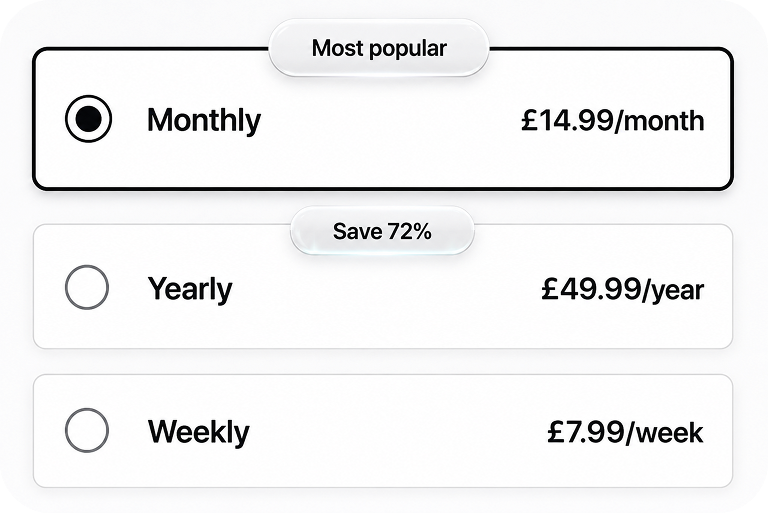
And that it can be solved for 7.99 a week (or, 49.99 a year).
This is the anatomy of a high converting paywall.
- Social proof: Typically at the top.
-
This convinces the user that they're in good hands.
-
Others love and use the app, so I will too!
- Big Title: selling outcome, IMPACT (not the product).
-
This is classic lifestyle advertising.
-
With B2C, people generally don't care about products!
-
They care about how it makes them feel.
- A "features" area.
-
Here, we explain the outcomes of using app.
-
Looksmaxxing: "Get face rating" -> "Become a Chad"
- Pricing.
This will vary on your niche.
Always default to what big competitors are doing.
They have the data, ran the AB tests.
Some general guidelines.


For a hard paywall:
-
Annual: 49.99, Monthly: 14.99, Weekly: 7.99
-
Personally, I would not push yearly above 49.99.
-
This increases the likelihood of refund requests.
-
If you have high pricing like this, it's a good idea to localise it.
-
If your app doesn't deliver, people will be unhappy & refund!
-
In Europe, there's a 14 day "Right of withdrawal".
-
This means all refunds are approved, unless you run a usage based app.
For Trials.
A good default can be:
-
49.99/year on a 7 day trial.
-
And weekly 7.99, no trial.
You should aim for AT LEAST 3% download to conversion.
This will vary a lot by niche. Healthier is ~5%. Excellent is 10%+.
BONUS:
- Utilise RevenueCat paywalls.
-
You can update your paywall without needing app approval.
-
Change pricing, design, run AB tests to experiment, etc.
-
However: DO NOT use a non-compliant paywall.
- Measure your onboarding with PostHog.
-
This is extremely useful to see where users are dropping off.
-
This alone will massively increase conversion.
-
If you're not collecting data to optimise you're missing out.
Fourth Mechanic: The App itself
If you care about longevity, your app should deliver on the promises made. You can moneymaxx, and I personally won't judge you, but in the long run, this is not sustainable and you'll probably feel a little bit bad.
You should aim to deliver an excellent user experience, and, in the age of AI, there's really no reason not to: Spend a week building the app, not a weekend.
Some general guidelines:
- Selling to a core human desire.
-
This is spoken about constantly, but it's very important.
-
People assume selling to a need = slop app.
-
But look at Hinge, it's a beautiful app, and sells intimacy.
-
There's no reason your health app can't be beautiful.
-
E.g: Delivering value through science-based skin care routines.

-
Motivational features, value add, smooth user experience.
-
DO NOT copy an app 1:1. Apple will just reject it.
-
It's a total waste of time, AND it's not that hard to improve on existing ideas.
Some core human needs:
-
health
-
addictions
-
appearance
-
religion
-
mental health
-
money
-
calorie
-
intimacy
-
learning
- Utilise the beauty of iOS.
-
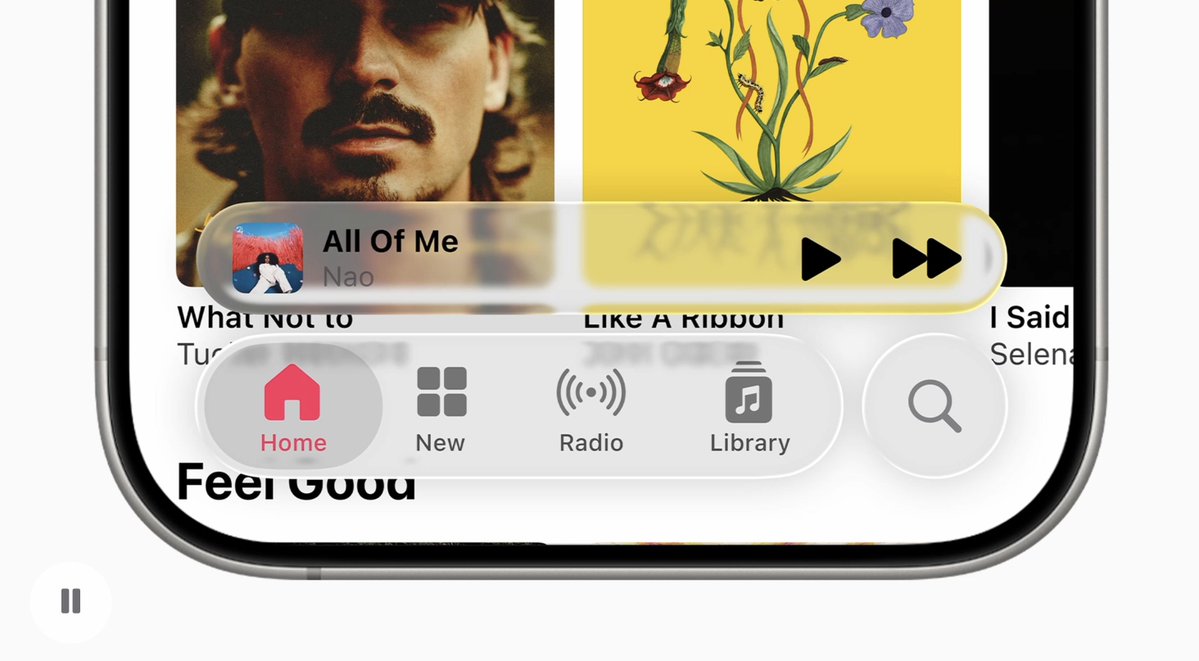
Liquid glass components look amazing out of the box.
-
We can make stunning UIs with little effort.
-
Frameworks like Expo are good, but the development experience, and the feeling of native SwiftUI, in my opinion, is unmatched.
-
Agents understand SwiftUI quite well, especially OpenAI models.
- Build iOS only at the start.
-
Once your app gains traction, you can make android.
-
At the start, you don't know whether your app is going to do well.
-
So, your effort is best spent marketing.
-
iOS spends massively more, so it's the natural choice,
-
But, if you start making 10k/m it's worth spending a week developing an android version, even if it brings in 15% compared to iOS.
- Don't abandon the product.
-
Continue to iteratively improve it.
-
Features can improve retention, and retention is money.
-
Use logging throughout the app to measure friction.
-
Think of cool new ideas that give value to the user.
- Use an exit offer.
-
This is not an abandon checkout offer.
-
Although these are potentially allowed in some cases!
-
If you implement one: be extremely clear in your app review.

- Let apple decide. I've seen a lot of big apps utilising them.
For the exit offer, specifically:
-
This is your "manage subscription" button within the app.
-
When the user presses the button:
-
Show a questionnaire screen with preset options:
-
"Too Expensive", "didn't use", etc & a text input for detailed responses.
-
Show them a discounted retention offer.
-
24.99/year can be good.
-
Potentially a lifetime offer for the subscription averse.
-
Note: lifetime can be tricky in the event of an acquisition!
-
If they say no, redirect to the app store as usual.
This has huge ROI, I added this in the past few days and it's retained a bunch of users already! One caveat: if you do 24.99 a year, only give this to users not already on the yearly plan, otherwise you're basically giving them a discount. The other side is this could potentially decrease yearly plan refunds!
- Send notifications to engaged Users.
If a user has a weekly sub, and they haven't opened the app in 2 months, you're not financially incentivised to remind them of it.
However, that doesn't mean you can't keep engaged users engaged!
So, send notifications based on user activity metadata.
BONUS - App Store Approvals
-
Include videos of your updates.
-
Request a call from apple.
-
Always be VERY CLEAR about what your app does.
-
Never mislead or trick the user.
Apple only cares about the user being happy.
If your app misleads, it'll be rejected.
It's that simple.
-
Don't try and fight or disagree with them. It won't change anything.
-
Request expedited reviews under exceptional circumstances.
TLDR:
-
Make cracked App Store Page.
-
Optimise & tighten onboarding.
-
Utilise a high converting paywall.
-
Provide value in your app.


Related articles

34 Truths Nobody Tells You About Scaling a Consumer App
I ran marketing and day-to-day operations for Cal AI as we scaled from nothing to $50M ARR in roughly 18 months.

I studied 30,600 apps making $20k-100k/mo+, the method is stupidly easy
only 1.7% of apps in the iOS App Store make $20k/mo+ that's over 30,000 apps (i researched all manually, no ai)

The Ultimate Paywall & Onboarding Playbook
Reduce “friction” by shortening your onboarding by cutting steps to get users into the app as fast as possible.