How to Turn Grok Bot Into Your Own Bloomberg Terminal

I will break down exactly how to turn your Grok Bot setup into a personal Bloomberg Terminal that runs 24/7 for you.
Let's get straight to it.
> Bookmark This - > > I'm Roan, a backend developer working on system design, HFT-style execution, and quantitative trading systems. My work focuses on how prediction markets actually behave under load. For any suggestions, thoughtful collaborations, partnerships DMs are open.
One thing I am starting from today.
If you are building your own Bloomberg-grade setup on Grok Bot, DM me your current setup or reply under this article.
Only the first 20 setups. I will personally walk through each one and show you the gap between what you have and a system that actually replaces the terminal on your desk. Move fast.
Here is the honest scope before we go further.
Nobody replaces Bloomberg's licensed data moat with a home setup.
Real-time exchange feeds are contractually locked.
The message network is walled.
Regulatory data is a paid subscription.
The audit trail is a compliance requirement.
This article does not claim otherwise.
What just became possible is different.
> Every other function of the terminal, the retrieval layer, the analyst layer, the reasoning layer, the alert layer, the report layer, the visual dashboard layer, the workflow layer, can now run at consumer scale.
For the first time in history a solo trader can rebuild 70% of the terminal experience without institutional access.
**A Bloomberg seat costs $27,660 per year.
The setup this article describes costs roughly $3,000 per year total.**
Nine times cheaper. Seventy percent of the utility. Zero data provider negotiation.
By the end of this article you will know:
- The seven functional layers of a Bloomberg Terminal.
- The six that Grok Bot can genuinely replace and the one it cannot.
- The exact bot architecture that delivers the terminal experience through natural conversation.
- How to build a live visual dashboard that looks and feels like Bloomberg.
- The exact build steps to ship this in a week.
Let's get into it.
Part 1: What a Bloomberg Terminal Actually Does
 — "Bloomberg Terminal"
Most traders who have never used one imagine Bloomberg as a fancy stock chart. It is not.
A Bloomberg Terminal is a workstation that runs seven functional layers simultaneously.
> The Data Layer.
Real-time and historical prices across every exchange. Fundamental company data. Economic indicators. Fixed income yields. FX crosses. Commodity spot and futures.
This is the piece that is genuinely contractually locked.
> The Analyst Layer.
Sell-side analyst reports. Ratings changes. Target price revisions. Consensus estimates.
Every serious desk reads these to understand where street conviction is diverging from price.
> The News Layer.
Bloomberg wires plus every third-party financial media source. Wire alerts appear the moment news hits.
> The Reasoning Layer.
MSG chat with other traders. Screen sharing with your desk. Chat with sell-side analysts directly.
> The Report Layer.
Morning macro notes. Earnings previews. Sector overviews. Company deep dives. Position summaries.
> The Alert Layer.
Price alerts. News alerts. Fundamental alerts. Position alerts. Custom-defined alerts triggered by any combination of data conditions.
> The Visual Dashboard Layer.
Charts. Heatmaps. Position blotters. P&L visualizations. Cross-asset correlation matrices.
 — "What a Bloomberg Terminal Actually Does"
This is what makes the terminal feel like a workstation, not just a data feed. Seven layers. Every serious trader uses at least five of them daily.
The Data Layer is protected by contracts. Nobody replicates this at consumer scale.
The other six layers are protected by workflow and integration. Not by data.
And that is exactly the piece that just became solvable.
Part 2: The Tool That Made This Possible
I've been trying to build a personal Bloomberg-grade setup for the past year.
Every attempt hit the same three walls.
Real-time monitoring across hundreds of sources always broke first. No consumer model could run enough parallel agents to actually cover the news universe.
Visual dashboards were the second wall. Every existing tool required hiring a frontend engineer or spending months learning React just to render live charts.
Long-context reasoning was the third. Holding a full trading day of signals in memory was impossible. Every model chunked, and chunking loses signal.
Then last month I found the tool that broke all three walls at once.
Moonshot AI shipped Kimi K3.
 — "WHY KIMI K3"
Kimi K3 is a mixture-of-experts model with a one million token context window per agent. It ships in two variants. K3 Max for chat and single-agent tasks. K3 Swarm Max for large-scale parallel processing.
K3 Swarm Max is what runs the terminal engine.
Four specific capabilities are what made the personal Bloomberg experience actually shippable.
> Native code generation at production quality.
Kimi K3 writes production React, Python, and TypeScript on demand. You describe the dashboard in natural language. It generates the full working codebase.
A Bloomberg-style dashboard that would take a frontend engineer three days to build takes Kimi K3 fifteen minutes to write.
You never touch a line of code yourself.
> One million token context per agent.
Every agent holds up to a million tokens. For a terminal this means the coordinator holds every alert, every news story, every position change, every macro data release from a full trading day.
The coordinator reasons across all of it without losing context.
> Native video processing.
Kimi K3 processes video directly. Not just transcripts. The actual video.
Your terminal can watch CNBC in the background. Watch Fed press conferences live. Watch every earnings call as it happens. Extract signal from tone, pace, and body language that transcripts miss.
No other consumer model ships this today.
> 300 parallel sub-agents on one coordinator.
Kimi K3 Swarm Max spawns up to 300 sub-agents on one task. Each sub-agent monitors one source. The coordinator sees all of them simultaneously.
Bloomberg's Newsdesk employs roughly a hundred humans working in parallel. A single AI bot processing sequentially cannot match this coverage. Three hundred parallel agents can.
 — "Four specific capabilities of Kimi K3"
Together these four capabilities close the gap between "consumer AI tool" and "personal Bloomberg workstation."
The one thing Kimi K3 does not replace is the interface.
You do not want to write Python queries every time you check Fed positioning.
That is where Grok Bot comes in.
Part 3: Why Grok Bot Is the Right Cockpit
Kimi K3 is the engine. Grok Bot is the cockpit.
Every serious terminal user needs a natural interface to interact with their setup. You want to message a bot and get synthesized answers within seconds. You want named teammates handling specific functions. You want the workflow to feel like Bloomberg's chat function.
Grok Bot delivers exactly this.
Every named bot you create shares one persistent cloud computer.
Browser. Filesystem. Terminal. All of it lives on the cloud VM, not your laptop.
You message a bot like you would message a coworker on Slack. The bot picks up the task. Uses its computer to complete it. Reports back when done.
Three things make Grok Bot the right cockpit for your terminal.
> Named persistent teammates.
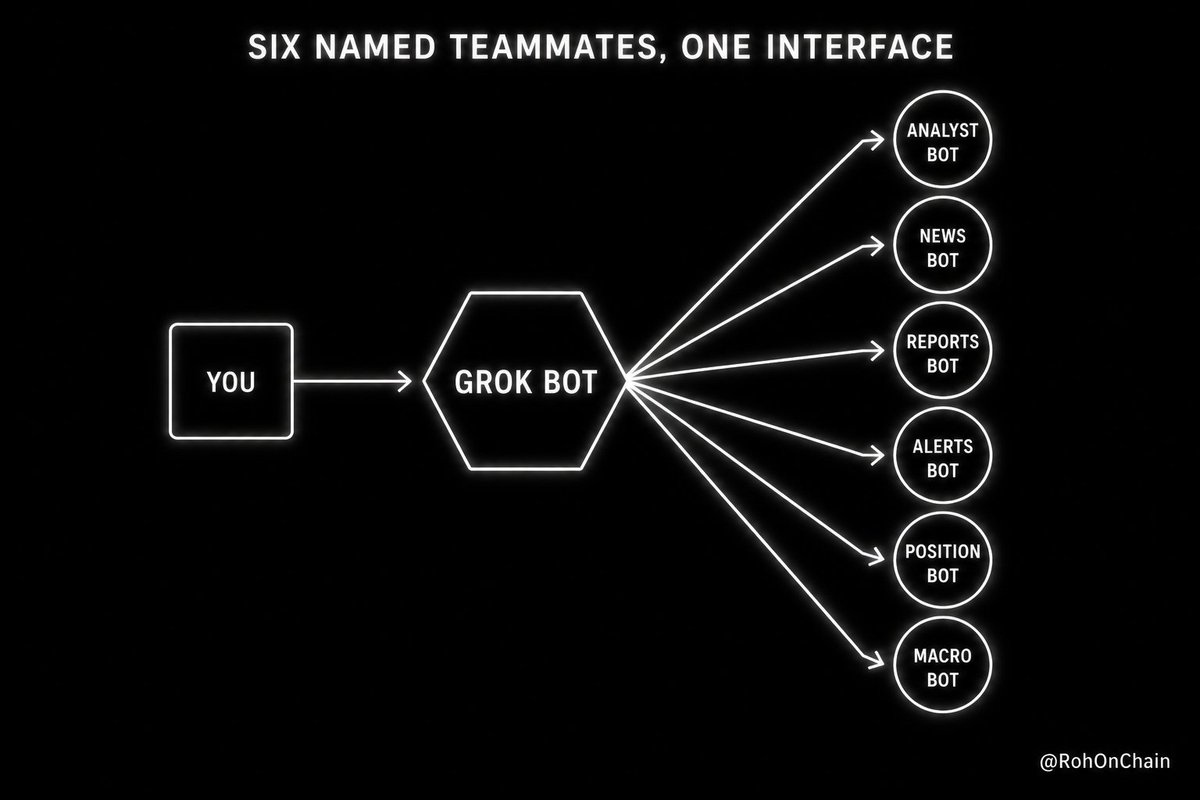
You create one bot per terminal function. Analyst Bot. News Bot. Reports Bot. Alerts Bot. Position Bot. Macro Bot.
Each has its own role. Its own memory. Its own workflow. Each responds to natural-language conversation.
You do not need to remember commands or syntax. You talk to your bots.
> Plugins that connect to everything else.
The Alpaca plugin routes trades. The Composio plugin connects to every third-party SaaS. The Whop plugin handles subscription management if you are running a signal service on the side.
Once installed, every bot on your account can use them.
> Native X integration for social alpha.
The terminal on Wall Street has a chat function nobody outside institutional access can use.
Grok Bot's native X integration gives you something arguably more useful. Real-time signal from every CEO. Every hedge fund manager. Every central bank governor. Every macro commentator posting publicly.
 — "Why Grok Bot Is the Right Cockpit"
Bill Ackman announces a new position on X. Your Analyst Bot catches it in real time. This is a capability the traditional Bloomberg Terminal does not have.
Grok Bot costs $200 per month via SuperGrok Heavy.
Bundled if you are on Cursor Ultra or Cursor Teams Premium.
Combine this with variable Kimi K3 API costs of roughly $500 to $1000 per month for the full monitoring layer plus dashboard generation.
> Total stack: approximately $3,000 per year in fixed infrastructure. > > A Bloomberg seat is $27,660 per year.
Nine times cheaper.
Part 4: The Complete Terminal Architecture
Here is how the full stack decomposes.
> Layer 1: The Kimi K3 monitoring engine.
Runs continuously in the background.
Three hundred parallel sub-agents monitoring every source you configure. Bloomberg wires. Reuters feeds. CNBC video segments. Fed press conferences. Every CEO earnings call. Every insider Form 4 filing. Every X post from central bank governors. Every Trump post on Truth Social.
Each sub-agent specializes in one source category. When any material signal fires, the coordinator writes it to the shared workspace at /workspace/signals/live-alerts.json.
This file becomes the source of truth for your entire terminal.
> Layer 2: The Kimi K3 dashboard.
Your visual terminal interface. Rendered as a local React application. Auto-generated by Kimi K3 from natural-language instructions.
You describe what you want to see. Kimi K3 writes the code. The dashboard runs on localhost:3000 with a Bloomberg-style dark theme, orange accents, live-updating panels.
Here is what my current dashboard looks like structurally.
Top strip: Live prices for SPY, QQQ, IWM, VIX, DXY, TNX, GLD, OIL. Updates every 5 seconds. Green when above open, red when below.
Left panel: My top 16 watchlist tickers arranged in a 4x4 grid. Each cell shows the ticker symbol, current price, day change percentage, and a mini intraday chart.
Center panel: Two rows. Top row shows 11 GICS sector heatmap boxes colored by performance (deep green to deep red). Bottom row shows a market breadth indicator with advance/decline ratio, new highs vs lows, and sector momentum divergence.
Right sidebar: Live news ticker pulling from /workspace/signals/live-alerts.json. Every alert fired by the Kimi K3 monitoring engine appears here within 30 seconds of the source event. Color-coded by conviction level.
Bottom strip: My current positions with live P&L, cost basis, and risk flags. Any position breaching my 2% NAV limit or 5% drawdown threshold flashes yellow.
This is a workstation. Not a spreadsheet. Not a dashboard-in-a-box. A real terminal generated by natural-language conversation with Kimi K3.
When I want a new view I describe it and Kimi K3 regenerates the code. Add a Fed speaker calendar. Add a commodity spread monitor. Add a crypto-equity correlation matrix. Each change takes minutes, not days.
> Layer 3: The Grok Bot interface layer.
Six named bots on your Grok Bot account handle natural-language interaction.
Analyst Bot handles sell-side conviction queries. Reports Bot generates morning macro briefs. Alerts Bot reads from the Kimi K3 alerts file and pings you when signals fire. Position Bot monitors your book across broker connections. News Bot synthesizes news pulled from the Kimi K3 monitoring layer. Macro Bot tracks Fed positioning, central bank divergence, and macro data calendar.
Every bot reads from and writes to the shared workspace. Every bot responds to natural-language conversation.
> Layer 4: The execution layer.
Your existing execution setup. Interactive Brokers. Alpaca. Or a prediction market like Polymarket.
Wires into the same shared workspace. When your Alerts Bot fires a HIGH CONVICTION signal, the execution layer routes the trade within seconds.
 — "The Complete Terminal Architecture"
Here is what the full workflow feels like from your seat.
You open Grok Bot on your laptop. You open your Kimi K3-generated dashboard in a browser tab.
You message Analyst Bot: "What is the sell-side conviction on NVDA this week?"
Analyst Bot responds with a synthesized street summary within 60 seconds.
You watch your dashboard. Live prices update every 5 seconds. Sector heatmap shifts in real time. News ticker scrolls signals from the 300-agent monitoring layer.
You get a ping from Alerts Bot: "TSMC just filed an 8K about capacity expansion. Multiple wire sources confirming. HIGH CONVICTION on semis sector."
You click through to see the source in the dashboard news panel.
You message Position Bot: "What is my current semis exposure?"
Position Bot responds with live sector position.
You decide the trade. Execute through your broker.
The full workflow feels like Bloomberg. Because functionally it is.
Part 5: The Exact Build Steps
Here is exactly how to ship the setup this week.
 — "The Exact Build Steps"
> Step 1: Set up Grok Bot.
Sign up for SuperGrok Heavy at grok.com. Download the Grok Bot desktop app.
Create the workspace folder structure:
/workspace/positions/
/workspace/alerts/
/workspace/reports/
/workspace/news/
/workspace/dashboard/
/workspace/signals/
/workspace/watchlist.csv
> Step 2: Install Kimi Work.
Download Kimi Work desktop app from kimi.com. Available for Apple silicon Mac and Windows.
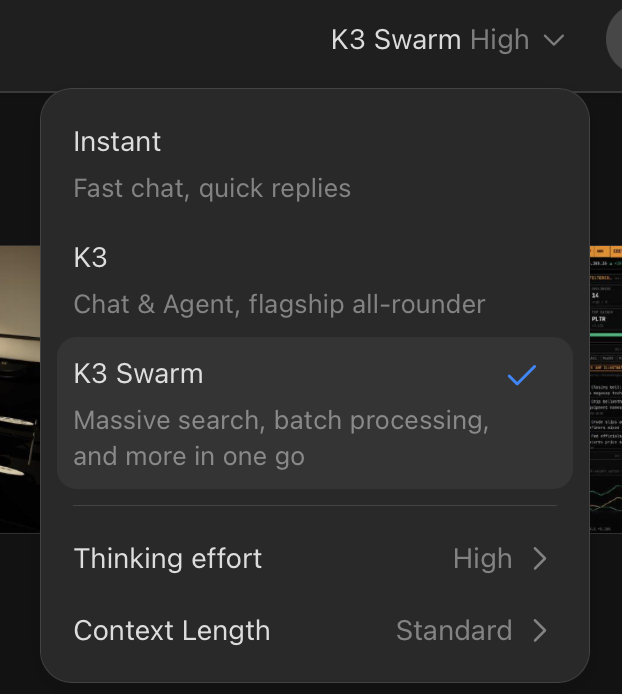
Sign in with your Moonshot account. Enable K3 Swarm Max in Settings.

Configure Kimi Work to sync its workspace with your Grok Bot workspace through cloud sync (Dropbox, iCloud Drive, or a shared cloud bucket).
> Step 3: Have Kimi K3 build your visual dashboard.
Open Kimi Work. Message it directly:
Build me a Bloomberg-style terminal dashboard as a local React
application. Include:

- Top strip showing SPY, QQQ, IWM, VIX, DXY, TNX, GLD, OIL current
  prices from Alpaca API. Green when above open, red when below.
  Update every 5 seconds.

- Left panel: 4x4 grid of my top 16 watchlist tickers. Each cell
  shows ticker, price, day change %, and mini intraday chart
  using Recharts.

- Center panel top row: 11 GICS sector heatmap boxes colored by
  performance (deep green to deep red).

- Center panel bottom row: market breadth indicator with
  advance/decline ratio, new highs vs lows, sector momentum.

- Right sidebar: live news ticker pulling from
  /workspace/signals/live-alerts.json. Color-coded by conviction
  level. Auto-scroll.

- Bottom strip: current positions with live P&L, cost basis, risk
  flags. Positions above 2% NAV or with drawdown above 5% flash
  yellow.

- Dark theme with orange accent (Bloomberg-style).
- Serve on localhost:3000.

Save the complete project to /workspace/dashboard/ and give me
the run instructions.
Kimi K3 generates the complete React application. Package.json. All components. Styling. API integration. Full working codebase.
Run npm install && npm run dev in the dashboard folder.
Your visual terminal is live on localhost:3000.
> Step 4: Deploy the Kimi K3 monitoring swarm.
In Kimi Work, create a routine named "terminal-monitor".
Schedule: Continuous during market hours (9:30 AM to 4 PM ET). 30-second intervals off-hours.
Configure the routine to spawn 300 sub-agents across six categories:
- 20 Macro Agents (central banks, Fed, ECB, BOJ, macro data, X posts)
- 60 Earnings Agents (major companies reporting in current season)
- 80 Wire Agents (Bloomberg, Reuters, Dow Jones, AP, FT, WSJ)
- 40 Video Agents (CNBC, Bloomberg TV, Fox Business, financial YouTube)
- 60 Insider Agents (SEC EDGAR feeds for watchlist tickers)
- 40 Social Agents (X accounts of CEOs, hedge fund managers, macro commentators)
When any sub-agent fires a signal above HIGH CONVICTION threshold, the coordinator writes to /workspace/signals/live-alerts.json.
This is the layer that feeds both your dashboard news ticker and your Grok Bot Alerts Bot.
> Step 5: Deploy the six Grok Bot interface bots.
In your Grok Bot sidebar, click "New Bot" six times. Create Analyst Bot, News Bot, Reports Bot, Alerts Bot, Position Bot, Macro Bot.
For each bot, paste the role description matching its function.
Example for the Alerts Bot:
You are Alerts Bot for a personal Bloomberg-grade terminal setup.

Every 30 seconds you check /workspace/signals/live-alerts.json for
new signals from the Kimi K3 monitoring layer.

For any new signal above HIGH CONVICTION threshold, ping the
operator immediately in chat with:
- ticker
- signal type
- confidence score
- source that fired the signal
- suggested action window

Do not execute trades. Only surface high-priority signals to the
operator for decision.
Repeat for the other five bots.
> Step 6: Wire the workflow together.
Your dashboard reads from /workspace/signals/live-alerts.json for the news ticker.
Your Alerts Bot reads the same file for pings.
Your Position Bot reads /workspace/positions/live.json populated by your broker API.
Your Reports Bot has a scheduled routine: "Every trading day at 6 AM ET, generate a morning macro brief using signals from the last 24 hours. Deliver to my Grok Bot chat and save to /workspace/reports/macro-YYYYMMDD.md."
> Step 7: Test the complete stack.
Open your Grok Bot desktop app and your Kimi K3-generated dashboard side by side.
Message your Analyst Bot: "Give me the current sell-side conviction on NVDA."
Message your Macro Bot: "What is the current Fed positioning heading into next FOMC?"
Watch your dashboard update in real time as the Kimi K3 layer fires signals.
When Alerts Bot pings you, click through to see the source signal in the dashboard.
> Step 8: Iterate on the dashboard.
Once your terminal is live, iterate on the visual layer whenever you want new views.
Message Kimi K3: "Add a sector heatmap to the top left showing performance of the 11 GICS sectors over the last hour. Add a Fed speaker calendar to the right sidebar showing the next 5 Fed events with countdown timers."
Kimi K3 regenerates the code.
Your dashboard updates.
You now have a personal Bloomberg Terminal that you customized through natural-language conversation. That runs 24/7. That monitors 300 sources in parallel. That looks and feels like the workstation on an institutional desk.
At less than one-ninth of the cost.
Summary
A Bloomberg Terminal has seven functional layers.
The Data Layer is contractually protected and cannot be replicated at consumer scale.
The other six layers can now run on Grok Bot as the interface with Kimi K3 as the engine underneath.
Grok Bot handles the natural-language cockpit.
Six named bots respond to plain-English queries. Analyst research. News synthesis. Morning macro briefs. Real-time alerts. Position monitoring. Sell-side conviction summaries.
Kimi K3 handles everything else.
The visual dashboard built through natural-language code generation. The real-time monitoring layer running 300 parallel agents. The reasoning layer holding a full trading day in one million tokens. The video processing layer watching every earnings call and Fed press conference live.
Together the two tools deliver seventy percent of the Bloomberg Terminal experience at less than one percent of the cost.
**Bloomberg $27,660 per year per seat.
This setup roughly $3,000 per year total.**
Nine times cheaper for seventy percent of the utility.
Honest scope on what this replaces.
The analyst chat function. The morning macro brief. The news synthesis workflow. The report generation layer. The alert engine. The position monitoring interface. The visual dashboard with live charts and heatmaps. The workstation-grade coding for custom views.
Honest scope on what this does not replace.
Real-time regulated exchange data feeds. The Bloomberg messaging network for institutional counterparties. Official regulatory filings direct feed. Fixed income liquidity discovery. FX prime brokerage integration. Trade execution audit trail for compliance-regulated funds.
This is not a Bloomberg killer for institutional funds with contractually required data feeds and compliance obligations.
It is a Bloomberg alternative for the ninety-nine percent of solo traders and small quant operations that never had institutional access in the first place.
The infrastructure moat is real. The interface moat is dead.
If you want to build it, sign up for SuperGrok Heavy at grok.com and install Kimi Work at kimi.com.
Then DM me your setup. I will personally walk through the first 20 configurations.
In my previous articles I broke down the research desk, the graph engineering alpha model, the swarm of AI agents, the loop engineering execution system, the one-person AI hedge fund, and the 24/7 news trading engine. Every article builds on the last.
Embedded post:
Author: Roan (@RohOnChain) Post ID: 2091518613861826677 Source: https://x.com/RohOnChain/status/2091518613861826677 Posted: 2026-08-23T13:31:10.000Z Reply to: none
Text:
> Grok Bot is the best AI agent right now > > It gives you an army of agents that can do work for you 24/7 > > If you set it up correctly, you gain super powers > > In this article, I cover how to build a one-person AI hedge fund on Grok Bot http://x.com/i/article/2091459895996633088
This one closes the loop by adding the workstation layer that ties every function into one terminal-grade interface.
The traders who build this first will compound edge over the traders still paying $27,000 per year for a workstation they use mostly for chat.
So here is the question to sit with.
Are you the trader still paying two grand a month for a terminal you mostly use to chat with analysts and read the morning macro note, or are you the architect who built your own terminal on Grok Bot for a fraction of the cost?
There is no wrong answer. But there are very revealing ones.


