I Fired Myself From Three Jobs in My Own Business. Here's the Exact Playbook:

Eight months ago I was doing the work of a researcher, a copywriter, a scheduler, and a customer support rep — all before 10 a.m., all by myself, all for one small business. I had zero engineering background. I still don't. What changed wasn't my skill set. It was that I stopped trying to be four people and started building four AI agents to do it instead.
Now I run a small team of AI agents that handle research, first drafts, scheduling, and inbox triage. I still make every real decision. But the grunt work that used to eat 25 hours a week now takes me about 4.
If you've heard the phrase "AI agents" and pictured something that requires Python, APIs, and a computer science degree, I get it — six months ago I pictured the same thing. It doesn't. This is the exact, step-by-step process I used, with zero code, using tools you already have access to or can get for free.

Why This Matters Right Now
Here's the thing nobody selling you a $2,000 "AI mastery" course wants to say out loud: you don't need to learn to code, and you don't need enterprise software, to build a working system of AI agents in 2026.
The tools got good enough. Claude, ChatGPT, and a handful of no-code automation platforms can now hold onto instructions, remember context across a whole project, and hand work off to each other. What used to require a developer now requires a Google Doc, an afternoon, and a willingness to be a little bit bossy with your instructions.
Small business owners who figure this out first get a real edge — not because the AI is smarter than their competitors', but because they're using it like a team instead of a search bar. Most people are still typing one-off questions into ChatGPT and calling it a day. That's like hiring an intern and only ever asking them one question before sending them home.
What an "AI Agent Team" Actually Is
Strip away the buzzwords and it's simple: an AI agent is just an AI assistant with a specific job, clear instructions, and (ideally) a way to pass its work to the next step without you retyping everything.
A "team" of them means you've split one big, messy job into smaller jobs, and each one has its own agent doing it well, instead of one agent trying to do everything and doing it averagely.
Think of your favorite small restaurant. There's a person who preps ingredients, a person who cooks, a person who plates, a person who serves. Nobody expects the same person to do all four and still get a five-star meal out on time. Your business already has that many jobs hiding inside it. You just haven't split them up yet.

Step 1: Map Your Business Like an Org Chart, Not a Tech Project
Before you touch a single tool, grab a piece of paper (yes, actual paper — this step works better slow) and write down every repeatable task you do in a normal week. Not the creative, judgment-heavy stuff. The repeatable stuff.
For me it looked like this:
- Researching topics and pulling sources before I write anything
- Writing first drafts of posts and emails
- Scheduling and reformatting content for each platform
- Sorting and drafting replies to routine customer emails
Notice none of these are "run my business." They're specific, narrow, and a little boring. That's exactly what makes them good candidates for an agent. Agents are bad at "figure out my strategy." They're excellent at "read these five articles and pull out the three most useful stats."
Quick test: if you could hand the task to a smart, reliable college intern with clear written instructions and trust them to do it right 80% of the time, it's a good candidate for an agent.
Step 2: Pick Your Home Base
You don't need five different apps. You need one place where each agent lives with its own instructions and memory. In 2026, your realistic options as a non-technical person are:
Claude Projects or a similar workspace feature. You create a separate project for each "role," paste in instructions once, and it remembers them every time you come back. This is where I'd start if you've never done any of this before.
Custom GPTs or team workspaces in ChatGPT. Same idea, different brand. Works well if you're already paying for ChatGPT Plus or Team.
A no-code automation layer like Zapier, Make.com, or n8n, once you want agents to actually pass work between each other automatically instead of you copying and pasting between windows.
Start with option one or two. Only add the automation layer once you've proven the agents are useful manually — automating a broken process just breaks things faster.

Step 3: Write Each Agent's Job Description
This is the step almost everyone rushes, and it's the one that actually decides whether your agent is useful or useless. A vague instruction gets you vague, generic output. A specific instruction, written like an actual job description, gets you something you'd pay a freelancer for.
Here's the template I use for every single agent I build:
Role: What is this agent's one job? (one sentence, no exceptions)
Input: What will I hand it, and in what format?
Output: What exactly should it produce, in what format, how long?
Voice/Standards: What should it sound like, avoid, or follow?
Escalation: What should it flag for me instead of guessing?
Here's my actual Researcher agent, word for word:
> Role: You research topics for upcoming articles and pull the most useful, current facts, statistics, and examples — nothing more. Input: I'll give you a topic and a target audience. Output: A bulleted list of 8-12 findings, each with a one-line source note. No essay, no summary paragraph, no fluff. Standards: Prioritize numbers, named examples, and recent developments over general statements. If something is a claim rather than a fact, label it "claim, unverified." Escalation: If you can't find solid information on part of the topic, tell me directly instead of filling the gap with a guess.
That's it. Five short blocks of text. Took me ten minutes to write. It's been running for eight months without a rewrite.
Step 4: Connect the Agents (Without Any Code)
Here's where "team" stops being a metaphor. The output of one agent becomes the input for the next.
My actual chain looks like this: Researcher pulls findings → I skim them for 90 seconds and paste the good ones into Writer → Writer produces a draft → I edit it → Scheduler agent reformats the final version for each platform and writes three different post captions.
Notice I'm still in the loop between every handoff. That's not a limitation — that's the design. At this stage, you are the project manager. The agents are your team, not your replacement.
Once this manual chain has run smoothly for a couple of weeks and you trust the outputs, that's when tools like Zapier or Make.com let you automate the copy-paste step itself: "when Researcher agent finishes, automatically send output to Writer agent." But get the manual version working first. I skipped this step once, automated too early, and ended up with three days of oddly-formatted nonsense before I noticed.

Step 5: Give It Real Work and Grade It Like an Employee
Don't test your agents with fake, easy examples. Give the Researcher agent the actual messy topic you're working on this week. Then read the output the way you'd review a new hire's first assignment: what's genuinely useful, what's missing, what's just wrong.
Every time you catch a mistake or a gap, don't just fix that one output — go back and fix the instructions so the same mistake doesn't happen again. This is the single habit that separates people who get real value from AI agents and people who give up after a week calling it "not smart enough."
I keep a running note at the bottom of every agent's instructions called "Corrections Log." Every time it messes something up, I add one line: what happened, what I want instead. My Writer agent's corrections log has 14 entries after eight months. Each one made it noticeably better.
Step 6: Add a Human Checkpoint (Always)
I want to be straight with you here: I do not let any of my agents publish, send, or spend money without me looking at it first. Not because I don't trust the tools — because trust should be earned in small, checkable steps, and because you're the one whose name and business are on the line if something goes out wrong.
Build a checkpoint into every workflow: a moment where a human — you, or someone on your team — reviews before anything goes live. For my customer email agent, that means it drafts replies into a folder for me to approve, not a live inbox that auto-sends. That one guardrail has caught two genuinely bad drafts in eight months. Two is enough to justify the extra 30 seconds every single time.
Step 7: Scale One Agent at a Time
The biggest mistake I see people make — and the mistake I made in week one — is trying to build five agents on day one. Build one. Use it for real work for at least a week. Fix its instructions based on what actually goes wrong. Only then add the next one.
I built my Researcher agent first and used it alone for three weeks before adding Writer. That patience is boring advice, and it's also the actual reason my system works instead of sitting half-finished in a Notion doc somewhere.
A Real Example: The Four-Agent Content Team
Let me walk you through the exact setup, since specifics beat theory every time.
Agent 1 — Researcher. Job description above. Runs in its own Claude project. I use it every Monday morning for the week's content topics.
Agent 2 — Writer. Takes my raw notes plus Researcher's findings and produces a first draft in my voice (I fed it 8 examples of my own past writing so it could match my tone — this made a bigger difference than any instruction I wrote).
Agent 3 — Scheduler. Takes a finished draft and produces platform-specific versions: a LinkedIn post, a shorter X version, and a one-line teaser for email. Also suggests three posting times based on when my past posts performed best.
Agent 4 — Inbox Triage. Reads incoming customer emails, sorts them into "routine — here's a drafted reply," "needs my personal attention," and "spam/ignore." I still approve every reply before it sends.
Total time to build all four, spread across five weeks: roughly 9 hours. Total time it saves me weekly now: about 18-20 hours. That's not a hypothetical ROI calculation — that's just what happened when I tracked my own hours for a month before and after.

What This Actually Costs
People assume this requires some enterprise budget. It doesn't. My entire four-agent setup runs on one Claude subscription and one Zapier starter plan — under $50 a month, total. No developer, no custom software, no IT department.
Compare that to what those 18-20 hours a week would cost if I hired someone to do them. Even at a modest $20/hour for a part-time assistant, that's $1,500-$1,600 a month. I'm not saying agents replace people — mine still need me watching closely — but the math on time saved versus dollars spent isn't close.
The real cost isn't money. It's the hours you spend upfront writing good instructions and correcting mistakes in week one and two. Budget a real afternoon for your first agent, not fifteen rushed minutes between meetings. That afternoon is the whole investment.

How to Know It's Actually Working
Don't just trust a gut feeling that things are "going better." Track two numbers for two weeks before you build anything, and the same two numbers two weeks after:
Hours spent on the task you're automating. Just a rough daily estimate in a notes app is fine — you don't need a time-tracking app.
Mistakes caught — how often you have to significantly rewrite or reject what the agent gives you versus lightly edit it.
If hours are dropping and mistakes are dropping too, your setup is working and you're ready to add the next agent. If hours drop but mistakes climb, you moved too fast — go back to Step 3 and tighten the instructions before adding anything else. This one habit is what separates people who quietly automate their business over six months from people who post one excited update on LinkedIn and quietly abandon the whole thing three weeks later.
The Mistakes That Cost People the Most Time
Writing vague instructions and blaming the tool. "Write good content" is not an instruction. "Write 400-600 word first drafts in a conversational tone with one specific example per section" is.
Skipping the human checkpoint to save time. This is the one mistake that can actually hurt your business, not just your schedule. Slow down here specifically.
Automating before the manual version works. If you haven't run the process by hand successfully at least ten times, you don't know what "working" even looks like yet, so you can't tell if the automation broke it.
Building five agents before testing one. Covered above, worth repeating because it's the most common reason people quit after week one.
Never updating instructions after a mistake. The agent doesn't learn on its own between sessions the way a human employee does. If you don't feed the correction back into the instructions, you'll make the same fix by hand forever.
Your Copy-Paste Starter Checklist
- List every repeatable task you do weekly (not judgment calls, just repeatable work)
- Pick the single task costing you the most hours
- Write one agent's job description using the five-block template above
- Test it on this week's real work, not a fake example
- Add one correction to the instructions every time it makes a mistake
- Run it manually for at least one full week before automating anything
- Build a human-approval checkpoint before anything goes live or gets sent
- Only then, add your second agent
Where This Actually Goes
You're not trying to build a fully autonomous business that runs without you. Nobody sane wants that, and honestly, nobody's AI setup is actually there yet, no matter what the LinkedIn hype posts claim. You're trying to stop being the bottleneck for the parts of your work that don't need your judgment, so you have more hours left for the parts that do.
I still write the sentences that matter most. I still make every call that touches money or a customer relationship. The agents just stopped me from spending my mornings doing the same repetitive research and formatting I'd done a thousand times before.
Start with one agent this week. Not five. One. Pick the task that's eating the most hours out of your calendar, write it a real job description, and give it a real assignment by Friday.
What's the one task in your business you'd hand off first if you could clone yourself just once?
Related articles

How to learn 80% of Claude Cowork in <20 minutes:
You can go very broad with skills, giving them tons of data that goes with the prompt. Some of my favorite skills have hundreds of pages of posts, hooks, SOPs, that Claude processes every time for th…
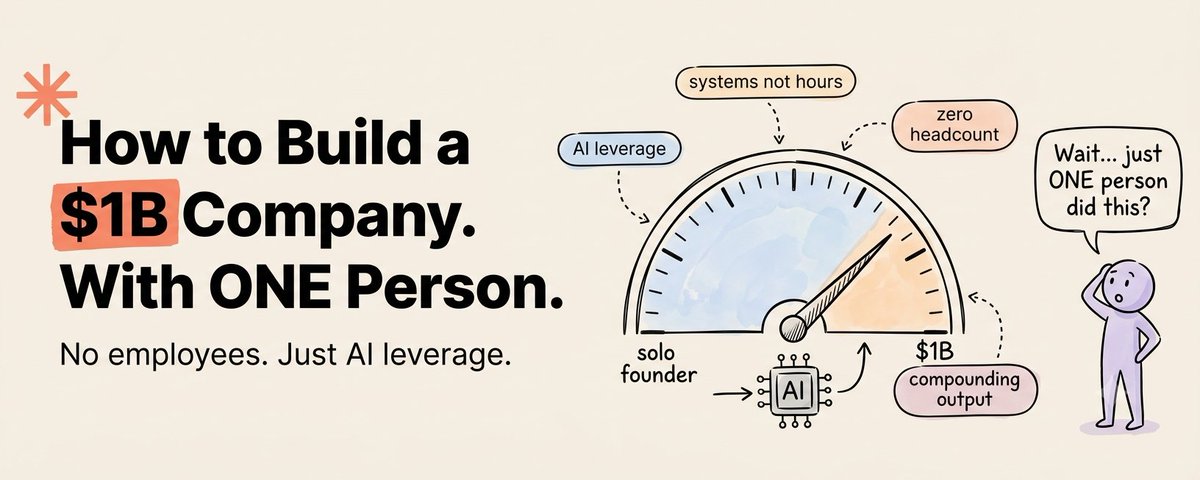
How to Build $1B/ 1 Person Company Using AI
*"We're going to see 10-person billion-dollar companies pretty soon. In my little group chat with CEO friends, there's this one-person billion-dollar company, which would have been unimaginable witho…

10 SEO backlink Claude automations for 61k AI mentions in 3 months
Link building is trial and error.