How Playkit Drove 12M App Downloads With Tech UGC (Steal This Playbook)
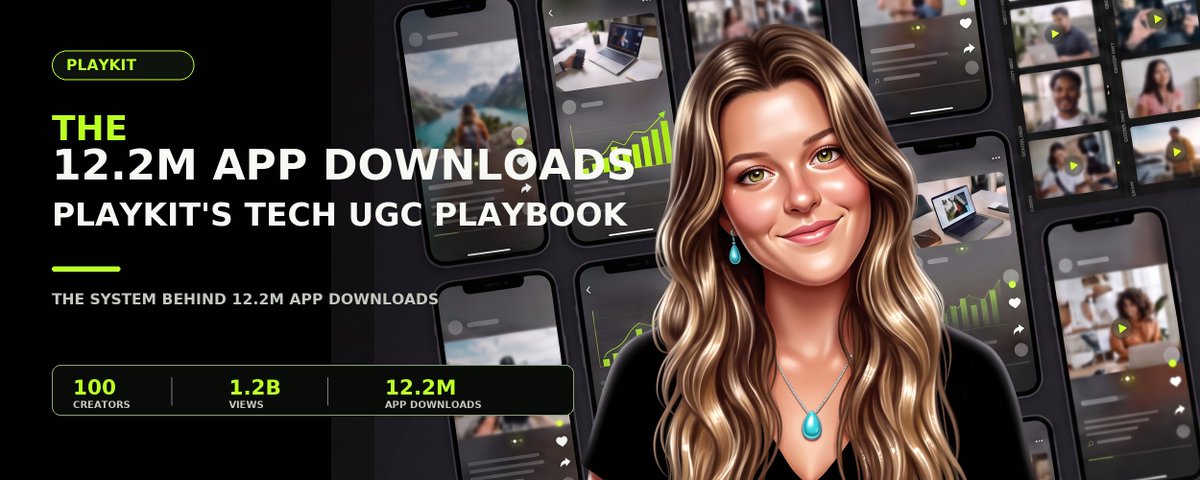
Today I'm leaking our entire playbook at Playkit:
The system we used to turn 100 creators into 100,000 UGC videos, 1.2B+ views, and 12.2M app downloads.
A few years ago, I grew an app to 500,000 downloads by posting short-form videos from one account.
There was no name for what I was doing. I was just testing every variable I could think of: hooks, product screens, formats, and audience angles.
When something worked, I made more of it. When it did not, I stopped.
That messy, manual process became the first version of the Playkit playbook.
Across our work, Playkit has driven 12.2M app downloads for companies including Quizlet, Substack, Cash App, Flo Health, and Cantina.
For the first time, I am sharing the full system we use to go viral time and time again.
Here is the full playbook.
The Case for Tech UGC
Our average CPM across tech UGC campaigns is $3.87. In our internal comparison, that was roughly $20 for Meta ads and $119 for micro-influencer campaigns.
Paid media makes you pay to distribute every new test. When an ad stops performing, you pay again for new hooks, edits, audiences, and distribution.
With influencer marketing, you put a large part of the budget behind one creator and one post, then hope the algorithm works in your favor that day. It is also difficult to know exactly what the post produced.
Tech UGC solves both of these problems.
The creators do not need existing audiences. Our creators make new accounts for every campaign because in this new era of discovery-based algorithms, you can still reach the people you need to. Plus, new accounts give the benefit of hyper-targeting.
And instead of paying to distribute every test or betting on one established audience, you can test hundreds of ideas organically.
The goal is not to make every video go viral, but volume is how you find the ideas worth repeating.
What To Do Before You Post
Before looking for creators, you need a playbook that tells them exactly what to post and why.
Start by having creators download your own product and actually use it (that means completing the onboarding, testing every core feature, and writing down the screens where the value becomes obvious).
You would be shocked by how many teams skip this.
Then study four things:
- Your own posts that have already performed
- Direct competitors
- Apps in other categories with a similar user journey
- The content your target audience already watches
Do not trap yourself inside your own category.
A language app might borrow a streak format from Duolingo, a progress reveal from Strava, or a study setup from Quizlet.
You should also collect what has already failed: old paid ads, organic posts, previous briefs, rejected concepts, overused hooks, and formats that earned views without downloads.
From there, turn the research into actual concepts.
We normally start with four formats:
1. Talking Videos
These should make up roughly 70% of your output.
The creator speaks directly to the camera, but the video should not feel like a presentation.
It should feel like someone propped up their phone and started telling a friend what happened.
Open with a specific problem. Introduce the product where it naturally entered the story. End with the result.
2. Wall-of-Text Videos
These pair simple B-roll with a longer thought written on screen.
The first video can earn attention without explaining the product.
We view wall of text videos as a way to gain top of funnel traction quickly. It's a great way to warm up the account or use the comments to convert.
Wall of text videos typically go the most viral, but convert the least. These are still an important part of the process as it warms the account.
3. Slideshows
Slideshows work well for lists, screenshots, stories, and before-and-after sequences.
The first slide creates curiosity. Every slide after that should move the idea forward, with the product introduced naturally later in the sequence.
Often, these can be AI-automated.
4. Hook and Demo
This format opens with a short hook, shows the relevant feature, shows the action on screen, and reveals the result.
The classic style of this format worked much better 18 months ago, but people have caught on. Now, you have to get a bit more creative for it to really do numbers:
Test the same idea across several formats. This tells you whether the idea failed or whether it was simply presented the wrong way.
By the end, the creator should know the audience, pain point, hook, format, script, product screen, and reference video.
Each concept should give the creator a clear script or talking points, the product screen to show, and a reference for the intended format.
You cannot tell creators to “make it authentic and fun.”
Knowing what must be made tells you who to hire.
How to Find and Vet Creators
Follower count does not matter here. The creator is posting from a new account anyway.
They need to talk to a phone camera like they are on FaceTime with a friend. They need to understand the audience, follow direction, and make a word-for-word script sound like something they would actually say.
They also need to match the person described in the playbook. A college study app, fertility app, and budgeting app should not use the same creator profile.
You can find creators through marketplaces, TikTok DMs, recruiting accounts, or referrals.
Do not hire anyone based on an application or existing videos alone.
Instead, run a paid week-long training campaign using real concepts from the playbook. Score the hook, delivery, framing, and editing. Then give written feedback and ask them to make it again. During this trial period, you can pay them less than what'd they make when they pass.
The first video shows what they can do, while the revision shows whether you can actually work with them. That matters much more across a longer-term partnership.
Once they pass, use stable base pay with performance bonuses on top. Playkit uses this structure so creators have predictable income while still being rewarded for strong results.
For context, a working Playkit creator earns roughly $500 per week.
Setting Up and Warming the Accounts
Each creator should make a new TikTok and Instagram account for the brand.
Do not let them post right away.
First, warm the accounts for 2-3 days so the platforms understand who should see the content.
The platform learns from everything the creator watches, likes, comments on, and follows.
If you are launching a study app account, the feed should start looking like StudyTok before the first video goes live. A fertility app account should start looking like the content its target audience already watches.
At Playkit, our daily warm-up checklist is:
- Scroll in the niche for 10 to 15 minutes
- Watch at least 10 relevant videos from start to finish
- Like 20 to 30 relevant posts
- Leave three to five genuine comments
- Follow no more than five to 10 relevant accounts
Do this before posting, and keep going until the feed mainly shows content your target audience would watch.
The activity also needs to look human.
Do not follow 50 accounts at once, watch every video for three seconds, and open the app only when it is time to post. That looks automated because it is not how a real person uses TikTok.
Warm-up gives the platform stronger signals about the audience and niche the account is built around.
Posting and Review
Once the accounts are warm, each creator should post three times per day, with roughly two hours between posts.
With 10 creators posting three times per day, you can run roughly 900 TikTok tests over a 30-day campaign.
A company account posting once per day would run only 30 tests in the same period.
Keep captions, hashtags, and posting instructions consistent with the playbook.
Every video should be reviewed before it goes live.
The creator should submit it, someone should check it against the playbook, and the creator should then receive written notes before revising. After that, the final version is approved and posted.
At Playkit, the brief, submission, feedback, approval, posting status, and results all live in Trackr.
For video review, check the hook, script, product screen, and format. Also watch for anything that makes the video feel like an ad, including stiff delivery, overproduced editing, or introducing the product too early (remember: vague feedback = vague revisions).
“Make this more natural” is not useful.
“Cut the first sentence, move the phone closer, and say this line like you are complaining to a friend” gives the creator something they can actually fix.
Remember when we talked about revision ability while hiring? You will repeat this loop several times a day across several creators.
Turning Views Into Installs
One video does not have to do the entire job.
We use four touchpoints to move someone from seeing the product to downloading it.
1. Mention the Product in the Hook
Mention the product without stopping to explain it.

2. Name It Naturally in the Caption
Write the caption like the creator is explaining the video in a group chat.

3. Seed the Comment Section
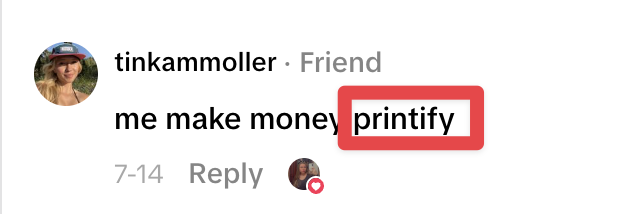
At Playkit, once a video reaches 50,000 views, we send it to our creator network as a comment bounty.
Creators comment from their personal accounts. If the comment performs, they earn a bonus.
The comments should sound natural:
4. Make a Reply Video
When someone asks about the product, reply with a direct explanation.
They have already watched the original video, opened the comments, and chosen to learn more. Now you can show the product clearly.
Important note: Engagement bait is a slippery slope.
A strong visual hook helps, but the conversation still needs to connect back to the product. Otherwise, the video may earn views without getting anyone closer to downloading.
Iterating Daily
Every day, review the previous day’s videos and decide what to repeat, change, or stop.
Do not wait for virality before learning. Instead, look at product questions, comments, saves, shares, views, and any available conversion or install data.
For example, a lower-view video with dozens of product questions may be more useful than a much larger video with an unrelated comment section.
When something shows promise, make it again immediately. Test a new hook with the same format, the same hook with another creator, or the same idea in another format. Change one major variable at a time so you know what caused the result.
Also, use the comments as research. Turn repeated questions into reply videos and reuse the exact language viewers use to describe their problem.
You’re really just looking for a format that performs more than once.
This is how you turn a winning format into an actual growth channel.
Give the campaign at least four weeks before judging it. Plenty of videos will miss while you test creators, hooks, formats, pain points, and product screens.
By week four, you should see hooks or formats working across multiple creators, repeated product questions, and concepts driving saves, shares, or installs more than once.
What It Costs, Who Runs It, and Why Programs Fail
Every program needs three things:
- Creator pay
- Someone who owns the program
- A system for managing content and performance
A Playkit creator earns roughly $500 per week on average, although campaign-level creator costs vary with workload, creator level, and performance bonuses.
Honestly, though, the bigger commitment is ownership.
Someone needs to manage creators, review submissions, track results, update the playbook, and decide what gets made next.
At 3 videos per day per creator, this is a full-time role.
You can hire that person internally or work with an agency. Either way, one person needs clear responsibility for the program.
One More Thing
Tech UGC works when volume is supported by a system.
The creators make the content, but someone still needs to build the playbook, train them, review every video, and decide what gets made next.
That is what we built Playkit to run.
If you want us to build and manage the channel for you, shoot me a DM!
Related articles

how to get 100 million views for your app without touching ads
an app came to us with zero distribution, no ad budget, nobody talking about it.

How to master UGC funnels and scale your app to $1M+
I’m going to show you the exact UGC funnel we’ve used to push out 250K-300K+ videos over the last two years… and how you can implement it today.

6M views in 30 days for a brand new app (full breakdown)
A social activities app we partnered with got App Store approval the same day we started the UGC campaign.