How to create AI ads for apps that make $10,000/mo (EASY MODE)

The AI revolution is here, and it has completely changed the way I grow apps.
I scaled two apps past $10K+/month using almost entirely AI-generated ads.
No influencers, no UGC creators, and no posting organic content every day hoping something eventually goes viral.
Instead, I used AI to create ads, launched them on Meta and TikTok, watched what actually converted, and kept making more of what worked.

A couple years ago, producing this much creative would have meant finding creators, paying editors, making changes, and waiting days just to get a few new ads back.
Now, I can do almost all of it from my laptop.
And the funniest part is that some of the best-performing ads don’t even look that good.
Some of them look like complete AI slop.
But if that slop gets someone to stop scrolling, download the app, and eventually pay, I really don’t care what it looks like.
That’s what makes AI so powerful for app marketing.
You can create more ads, test more ideas, and find winners without needing an entire creative team behind you.
If I can make AI slop videos that print money, you can too.
And in this article, I’m going to show you exactly how.
Step #1: Ideating
Before you make AI ads, use AI to help you find a good app idea first.
Instead of sitting around trying to invent the next revolutionary idea, use ChatGPT or Claude to discover markets that already have proven demand.
A simple prompt could be:
“Give me 30 consumer mobile app niches where at least one app is likely generating $100K+/month. Prioritize subscription apps that are simple to build and easy to market with short-form ads.”
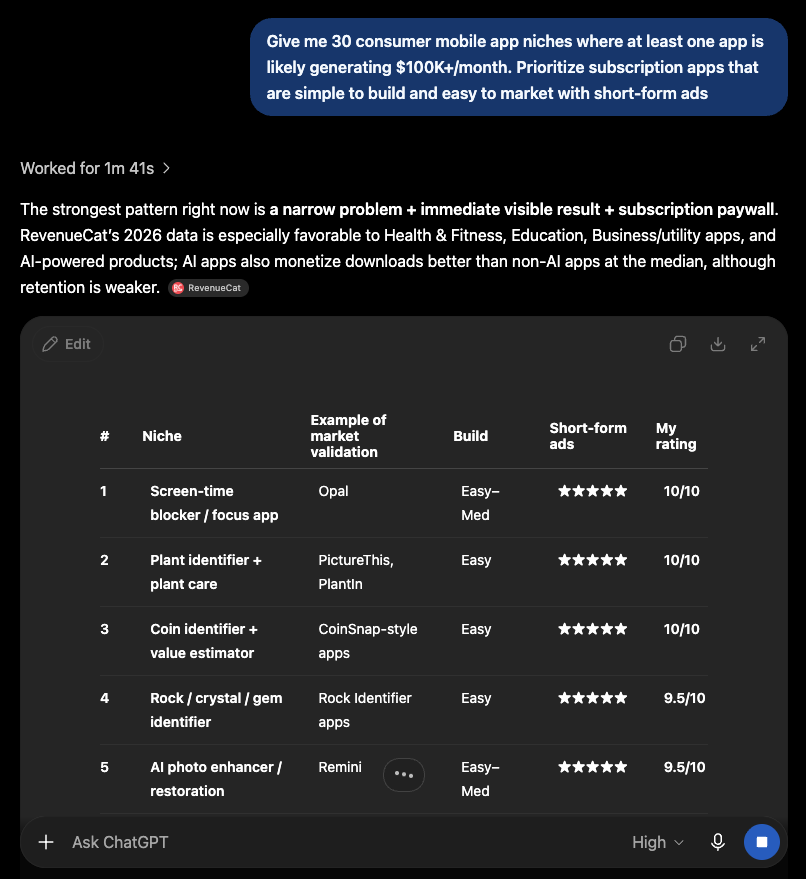
Then keep narrowing.
Ask AI which niches have strong pain points, which audiences are easiest to target through Meta or TikTok, what competitors already exist, and what angle could make each idea feel different.
You can even paste in a successful app and ask:
“Give me 20 ways to reposition this concept for a more specific audience.”
A general habit tracker could become one for students.
A calorie tracker could become one for tennis players.
A budgeting app could become one for teenagers managing their first paycheque.
AI can generate the ideas incredibly fast, but don’t blindly trust the output.
Take the best ones and validate them with App Store rankings, competitor research, and actual revenue estimates.
The goal is to find a market where people are already paying, then use AI to uncover a better angle into it.
AI gives you the ideas. The market tells you which ones are worth building.
Step #2: Designing
Once you know what you want to build, don’t immediately start coding.
First, figure out what the app should actually look and feel like.
Open the biggest apps in your niche and go through the full experience. Pay attention to the onboarding, home screen, core features, paywall, and what happens after someone subscribes.
Screenshot the parts you like and put them into one Figma board.

Maybe one app has a great onboarding flow, another has a cleaner home screen, and another explains the paywall better.
The goal isn’t to copy one app pixel-for-pixel.
It’s to study the patterns behind what successful apps are doing and understand why those decisions work.
If multiple top apps use personalized onboarding, make the main action obvious, or introduce the product in a similar way before showing the paywall, that’s worth paying attention to.
Then take the best ideas and build your own version around your branding, audience, copy, and feature set.
There’s no reason to solve every UX problem from scratch when companies making millions have already spent years testing what works.
Step #3: Building
Once you’ve picked which design you like, the next step is turning it into a working app.
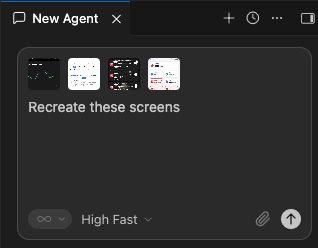
1. Drop your screenshots into Cursor or whatever app builder you’re using
Give the app builder the screens from other apps that you want to use as references so it has something visual to work from instead of relying entirely on text prompts.
2. Recreate the frontend first
Have it rebuild the general layout, hierarchy, and flow of the screens one by one.
Don’t worry about making everything functional yet.
The goal is to get the entire frontend looking and feeling right first.
3. Turn the reference design into your own app
Once the basic structure is there, change the branding, colours, copy, components, and anything else needed to match what your app actually does.
You’re using successful apps as a starting point, not cloning their exact branding or assets.
4. Then build the backend
Once the frontend is complete, start connecting everything behind it.
Tell the builder exactly what should happen when users create accounts, complete onboarding, save data, use the core features, subscribe, restore purchases, or receive notifications.
At this point, the app goes from looking real to actually working.
The basic process is:
Reference design → recreate the frontend → customize it → build the backend → test → ship.
Step #4: Start creating ads
Once the app is live, marketing becomes the main focus.
I usually start running paid ads almost immediately.
I might make organic content too, but paid ads are what give me the clearest feedback because I can put money behind something and see whether people actually respond.
And this is where AI has probably saved me the most time.
Before, if I wanted five completely different UGC videos, I might need to work with multiple creators.
Now a lot of those concepts can at least be tested with AI.
My creative process has four main parts:
Ideating → scripting → prompting → editing.
Ideating
Don’t start by opening CapCut and trying to invent an ad from nothing.
Start by finding references from apps that are already spending heavily, especially creatives you keep seeing over and over again.
If a company is scaling the same type of ad, there’s probably something worth studying.
And don’t only look at competitors.
Some of the best ideas come from completely different niches because what matters most is the structure of the ad, not the product.
A fitness app can borrow a format from a finance app, and a photo app can adapt something from a dating app.
Save the ads that catch your attention and build a reference library you can pull from whenever you need new ideas.
At the beginning, test completely different formats instead of making ten tiny variations of the same concept.
Once you find a structure that works, then start making variations around it.
Scripting
Once you find an ad you like, break it down before recreating anything.
If there’s dialogue, transcribe it with an AI tool and look at what the script is actually doing.
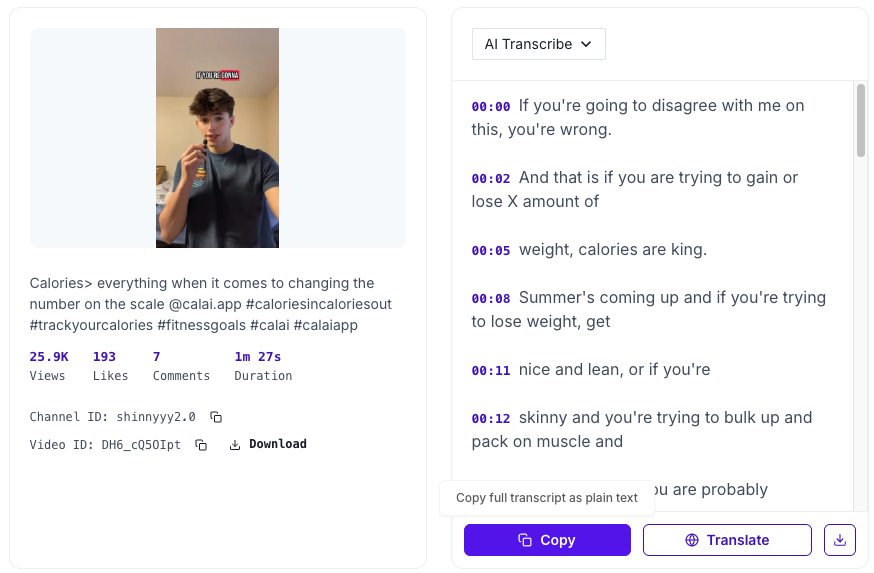
Most good ads follow some kind of structure: they create curiosity, introduce a problem, make that problem feel important, bring in the product, and give the viewer a reason to act.
Once you understand that structure, adapting it becomes much easier.
Paste the transcript into ChatGPT and ask it to keep the same general pacing and storytelling format, while rewriting the hook, wording, examples, and benefits around your own app.
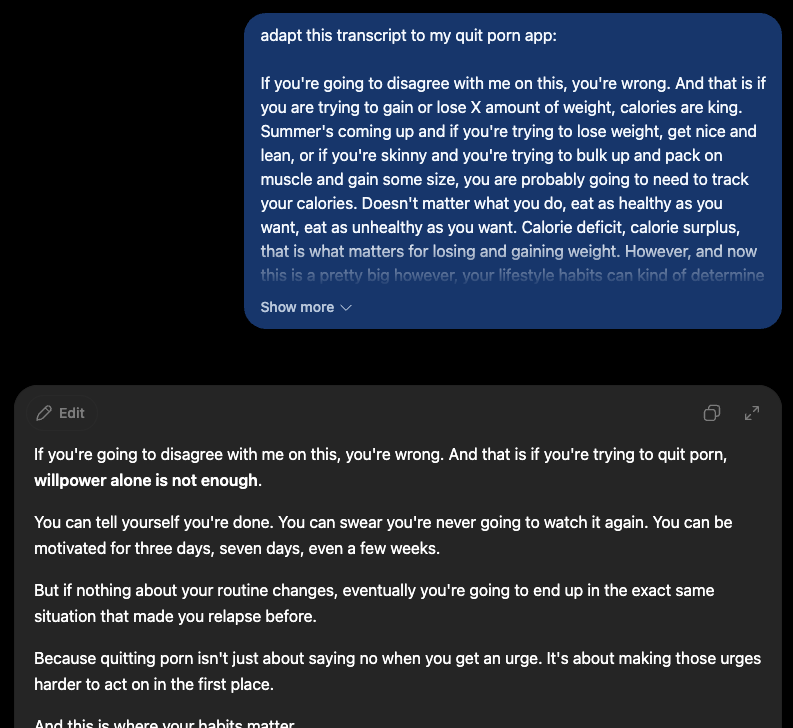
The goal isn’t to copy the script.
It’s to understand why it works, then create your own version.
After that, go through the reference ad and take a screenshot every time the scene changes.
Put the matching piece of script underneath each screenshot, and suddenly the entire ad is mapped out scene by scene.
Instead of trying to recreate one complicated 30-second video, you now have a bunch of simple 3–4 second clips to make.
That makes the next step way easier.
Prompting
Once the entire ad is scripted out, it’s time to turn each scene into a new AI-generated version.
1. Create a new version of each scene
Take the screenshots from your reference ad and use an image generator like ChatGPT to create a variation of each one.
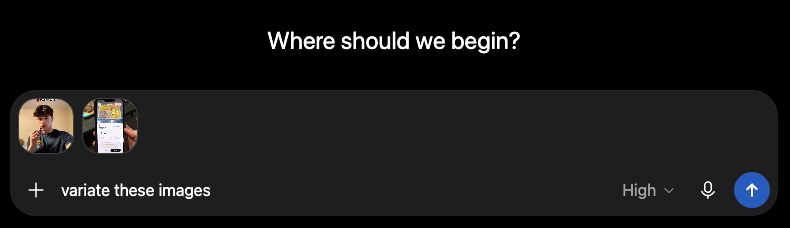
Keep the same general purpose of the scene, but change the person, setting, clothing, lighting, angle, or other details so the final creative feels like its own ad.
2. Turn the images into video
Once all of the scenes are generated, bring them into a tool like Higgsfield to add movement.
Do this one scene at a time so you have more control over how each clip turns out.
3. Keep the movement prompts simple
For each scene, describe the main action you want without overloading the prompt.
Something like:
“Add subtle movement. Make the guy slowly wave his arm while talking to the camera.”
is usually enough.

If the prompt has too many actions or tiny details, the generation is more likely to look unnatural.
Keep it simple, generate a few versions, and use whichever one looks the most realistic.
4. Generate the voiceover
If the ad needs someone reading the script, use a tool like ElevenLabs to generate the voiceover.
Choose a voice that matches the style of the ad, paste in the rewritten script, and make sure the delivery sounds conversational before moving into editing.
Editing
Once every scene is generated, it’s time to put the full ad together.
1. Gather all of your assets
Download the clips you created in Higgsfield, the voiceover from ElevenLabs, your app footage, and any reference audio or music you have permission to use.
At this point, everything you need should already be created.
2. Build the ad in CapCut
Use CapCut to assemble the video.

Start with the voiceover, then place each generated scene where it belongs in the script.
You can use the original ad as a reference for the overall pacing and structure, but rebuild it with your own scenes, script, voiceover, and product footage.
If the original changes scenes quickly at the beginning or introduces the product at a specific point, study that rhythm and adapt it to your version.
3. Match the visuals to the script
Make sure every clip lines up with what’s being said.
If a scene is only supposed to last three seconds, trim it.
If the app is introduced halfway through the script, make sure the product actually appears at that moment.
The edit should feel like one continuous story rather than a bunch of AI clips stitched together.
4. Add captions
Once the full video is finished, add captions.
You can use VEED.io to generate them quickly.
Keep them easy to read and timed properly with the voiceover so someone can still understand the ad with their sound off.
Once the captions are done, export the video.
Now you have a finished AI ad ready to test.
Conclusion
The biggest opportunity with AI isn’t the tools themselves.
It’s how much faster they let you move.
A few years ago, building an app and testing new creatives could take weeks of coordination between developers, designers, creators, and editors.
Now, one person can do most of that from a laptop.
That doesn’t mean AI replaces skill.
You still need to find a good market, build something people want, and create ads that actually convert.
But the cost and speed of testing ideas have changed completely.
And that’s the real advantage.
The tools will keep changing, so don’t get too attached to any one of them.
Get good at the process:
idea → execution → feedback.
The faster you can move through that loop, the more chances you have to find something that works.
So build the app.
Make the ads.
Launch them.
And print some mf money.
Want to work with me directly?
P.S. If you’ve made it this far and you’re already working on an app, but feel like you’ve hit a ceiling, you can book a call with me directly.
We’ll go through your app, ads, funnel, and whatever else might be holding back growth, and I’ll show you what I’d change and where I’d focus next.
aureliuscajigas.com (👈 book a call here)
Related articles

Scaling an app to $500k/mo (full roadmap for Meta)
"I used to think this problem was caused by the wrong thing."

From 0 to $10K MRR in 2 Weeks
We found an untapped niche inside the AI image & video category, built the app in 3 days, launched it in another 3, and crossed $10K MRR in 2 weeks.
How I Signed 35 Micro-Influencers for $0
Micro-influencers have fewer options than the mid-tier creators every funded brand chases, so a real revenue-share offer converts.