how we create BANGER pixar ads (full playbook)

Six months ago this article couldn't exist.
Kling's Nano Banana Pro models weren't producing character-consistent animation at paid-social quality.
They are now. That capability shift is the only reason the format is scalable today, and we've spent the last quarter inside the workflow figuring out where it breaks.
Here's the full system we run for clients.
Three tools, six production steps, with the specific settings at each stage.
Embedded post:
Author: Lorenzo | Meta Ads & Performance Creatives 📈 (@lorenzo_pravata) Post ID: 2058908213509001532 Source: https://x.com/lorenzo_pravata/status/2058908213509001532 Posted: 2026-05-25T13:49:05.000Z Reply to: none
Text:
> Another day, another banger from the team. > > PIXAR ADS are crushing it right now. > > Our formats become top spenders because we have the perfect editing & scriptwriting that makes our ads look like CONTENT. > > Want more creative diversity for your brand? > > Link in my bio.
Media:
- video: /media/posts/how-we-create-banger-pixar-ads-full-playbook/1.mp4
Why these work
Like I've been saying for more than a year now, create ads that don't look like ads.
This, claymation ads, and more coming soon are a result of that.
Ads that look like content.
A Pixar-style frame in feed triggers a different scroll-stop response than realistic UGC.
The viewer's brain pattern-matches the first frame as a clip from an animated short, not as a paid ad.
By the time product intent registers, the viewer is already past the
3-second drop window.
That's the mechanism in one sentence. Everything below is the execution.
What we do before generating anything:
-
Audit the client's own account and their top 5 competitors. What formats are already working in this niche, and what's missing.
-
Customer research like maniacs. Reviews, DMs, comments, Reddit, post-purchase surveys. Real language goes into the prompts.
-
Decide if Pixar fits this brand. Supplement, app, skincare, and consumable verticals tend to fit.
-
Brief 14 visually distinct concepts. Not 14 variants of one concept. 14 different worlds.
So, pixar ads works because we test a TON of concepts besides it.
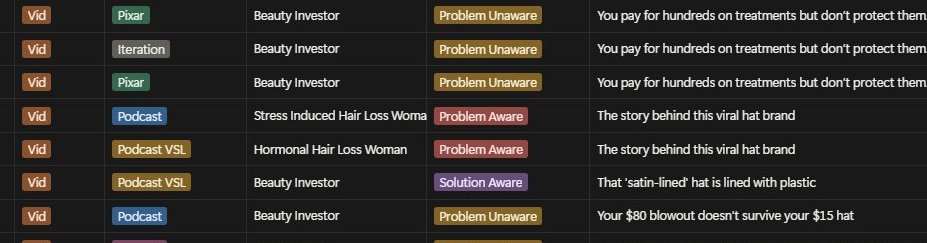
The 6-step production workflow
Step 1. Generate the image prompt with Claude
Don't write Kling prompts from scratch.
Each model has its own syntax, and writing manually means relearning that syntax every time. Claude handles the translation.
Open a new Claude chat. Describe the scene in plain language. Ask for a Kling-optimized prompt.
You ask Claude:
> "Generate a Kling AI starting-frame prompt for a 70-year-old woman in her bathroom, smiling in surprise as she applies a glowing skincare serum. Pixar 3D animation style. 9:16 vertical."
Claude returns (paste directly into Kling):
"Pixar 3D animation, close-up portrait of a 70-year-old woman with warm tan skin and loosely tied silver hair, standing in front of a softly lit bathroom mirror. Her eyes are wide with a delighted smile, mouth slightly open in surprise, fingertips touching her cheek where a glowing serum is being absorbed. Soft morning light from a side window casts a warm golden tone. A folded towel and small plant sit in the background, slightly out of focus. Warm color palette (peach, cream, gold). Cinematic depth of field, shallow focus. 9:16 aspect ratio."
The full Growthub system prompt we use to run Claude as a Kling translator is at the bottom of this article.
Copy it once. Every Pixar prompt runs through it after that.
Step 2. Generate the starting frame in Kling
Paste the Claude prompt into Kling. Use Nano Banana Pro for the highest quality output.
If you have a reference image (a previous frame, a brand asset, an existing character), drag it in and describe what you want changed. Kling edits the existing image directly, like a Photoshop layer.
That's how character consistency holds across an entire ad.
One technical note worth flagging. ChatGPT describes your image in words and generates a new one each time you iterate. Kling preserves the original and edits it.
Bouncing between the two breaks character consistency on the first variation. Stay inside Kling once the character is locked.
Step 3. Animate the starting frame
Three settings decide whether the animation is usable.
Get any one wrong and the clip goes in the bin.
- Quality (pixar animation renders fine at 720p)
- Camera movement (default to no movement, which cuts file size without visible quality loss in feed)
- Sound (off for b roll, on for a-roll)
Step 4. Use starting + ending frame control for transformations
For any before-and-after effect, time-lapse, or complex transition, upload both the starting and ending frame. Kling interpolates between them.
Without the second frame, the AI guesses the transition and gets it wrong about half the time. With the ending frame locked in, the transformation lands cleanly.
Transformations that need this technique: wrinkled skin to smooth, empty bottle to full, dim lighting to bright, messy desk to organized, tired expression to energized.
Step 5. Chain clips together for longer ads
Kling's maximum generation length is around 50 seconds.
For 30-second or 60-second ads, export the final frame of clip 1 and use it as the starting frame of clip 2. Repeat the export-and-feed loop across the whole ad.
The cuts read as seamless because the frames already match at the join.
Step 6. Apply voice consistency across all clips
Every Kling generation produces a slightly different voice on the same character. That breaks the ad. The viewer catches it instantly and the spell is broken.
Run all clips through ElevenLabs as a voice-swap layer. One ElevenLabs voice across the whole batch. Voice tone gets described directly in the animation prompt at Step 3.
The full Claude system prompt for Kling
Paste this into a new Claude chat. Keep that chat open as your prompt engine for the whole production batch.
Why we run six or more formats concurrently
We are producing Pixar ads alongside our studio formats: podcast ads, street interviews, founder-story, documentary, reaction.
That's six active formats inside one creative pipeline, rotating based on what each client account needs at any given week.
A normal agency setup just runs UGC or the same format for months because they don't care about your account's diversity.
They push one angle, one format, and pray it works.
/mo spend, format diversity is what stops top spenders from aging into the ground.For a brand over at$100K+
Pixar is one lever inside that, follow me because I'll be breaking all of the new ones we're testing internally (with results)
If your top spenders are 3+ months old, your in-house creative person left, or you've cycled through agencies that keep iterating on what already worked, we'll show you what the system looks like applied to your account.
You'll get a full audit of your current creative mix, the format gaps your audience isn't seeing, and a walkthrough of what 30 to 50 fresh concepts a month looks like across
Pixar, podcast ads, street interviews, founder-story, documentary, and reaction formats for your brand.
Book a call by clicking the link in my bio.
Talk soon,
Lorenzo
Related articles

from $0 to $38K in 30 days with a product I could not code
a few people asked me to write the whole story. not the tweet version. the real one, with the boring parts.

How to conquer everyone with AI (FULL Course)
founders and employees using agents instead of chat are running 5 to 10 times more productive. take the middle number, 7x, and a single working day starts doing a full week's worth of output. this is…

(Free Prompt) How To Write Mind-Grabbing Story Hooks With AI
Today, I’m going to help you generate irresistible mind-grabbing hooks for those same stories by hijacking the genius of one of the most ripped-off copywriters on the internet—John Carlton.