Ledger Architecture: Running Six Businesses on Grok Bot + Kimi K3 (Full Build)
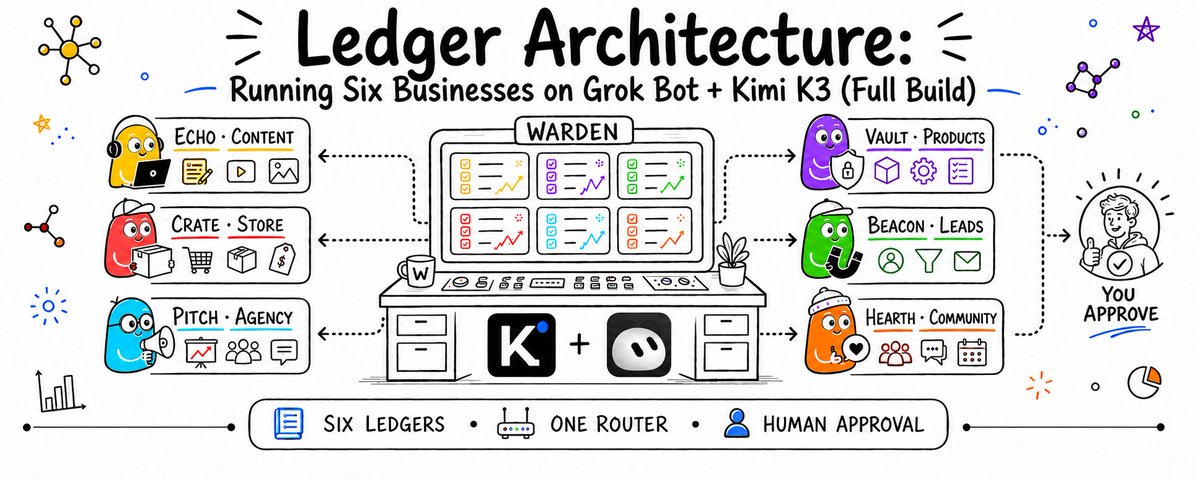
Every business gets its own agent, every number gets an owner, and everything that moves money stops in front of you
Why this pairing and not one or the other
Grok Bot is the finished picture. You message named bots like teammates, they share one persistent cloud machine with a browser, a filesystem and a terminal, they stay logged into your real tools, and they keep working when your laptop is shut.
Kimi K3 is the parts bin. Open weights, a coding agent with real hands, skills, MCP, subagents and an SDK. Nothing is hidden behind a subscription tier, and the org chart stays yours.
Most people treat this as a versus. It is not. Grok Bot is the fastest way to feel what a working crew is like. Kimi K3 is how you rebuild that crew so it belongs to you and scales past one account.
The businesses do not care which one you use. They care that somebody owns the number.

Installing Kimi K3
Let me kill one myth first. Kimi K3 is not a laptop install. It is a 2.8 trillion parameter open weight MoE model, roughly 104B active per token across 896 experts, native vision, and a 1,048,576 token context window. The official MXFP4 checkpoint sits around 1.5 to 1.6 TB. Official vLLM recipes start at 8× B300 / GB300 class GPUs, or the AMD MI355X equivalent.
Anybody telling you to "just download it" has not looked at the file size.
Official links
- GitHub: https://github.com/MoonshotAI/Kimi-K3
- Weights on Hugging Face: https://huggingface.co/moonshotai/Kimi-K3
- API quickstart: https://platform.kimi.ai/docs/guide/kimi-k3-quickstart model name kimi-k3, OpenAI compatible
- Kimi Code: https://www.kimi.com/code
Path A - the one you actually want on day one
Use the hosted model. Web and mobile apps at kimi.com, or the API. Zero infrastructure, full K3, you start today.
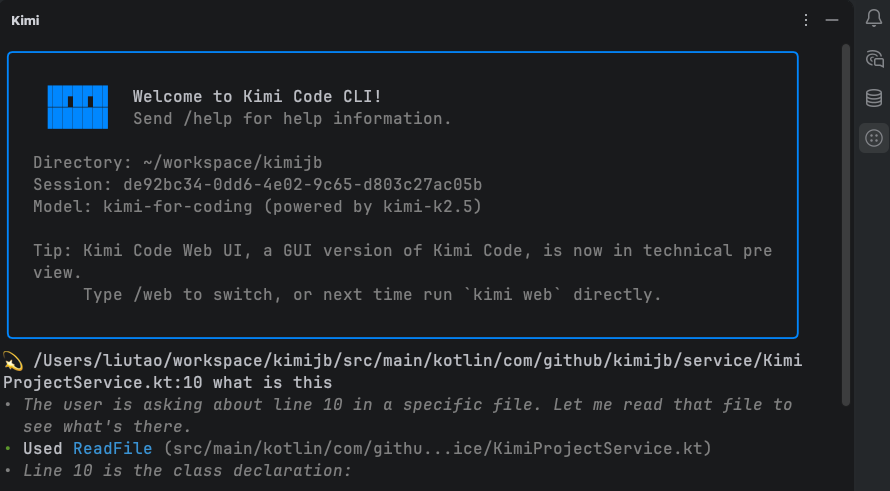
Path B - Kimi Code CLI, the hands
This is what turns answers into work. It reads and edits files, runs shell commands, fetches pages, and picks its own next step from what it finds.
# macOS / Linux
curl -LsSf https://code.kimi.com/install.sh | bash
# Windows
Invoke-RestMethod https://code.kimi.com/install.ps1 | Invoke-Expression
Then log in and select the model:
kimi
/login
/model        # choose Kimi K3
Path C > self hosting the open weights
Only if you have the cluster. Official engines in the README: vLLM, SGLang, TokenSpeed
pip install -U huggingface_hub
hf download moonshotai/Kimi-K3 --local-dir ./Kimi-K3
vllm serve moonshotai/Kimi-K3 \
  --tensor-parallel-size 8 \
  --trust-remote-code \
  --load-format fastsafetensors \
  --enable-prefix-caching \
  --enable-auto-tool-choice \
  --tool-call-parser kimi_k3 \
  --reasoning-parser kimi_k3
Full recipes: https://recipes.vllm.ai/moonshotai/Kimi-K3SGLang cookbook: https://docs.sglang.io/cookbook/autoregressive/Moonshotai/Kimi-K3
Community GGUF and Unsloth quants exist for local runs, still hundreds of GB of RAM or VRAM: https://unsloth.ai/docs/models/kimi-k3. CPU ports are proof of concept, not production speed.
My recommendation: start on the API. Move to self hosted only when your token bill beats your GPU bill, and you will know exactly when that happens because you will be watching it.
Installing Grok Bot
There is no long guide here, and that is the point. Go to the site, download, sign in.
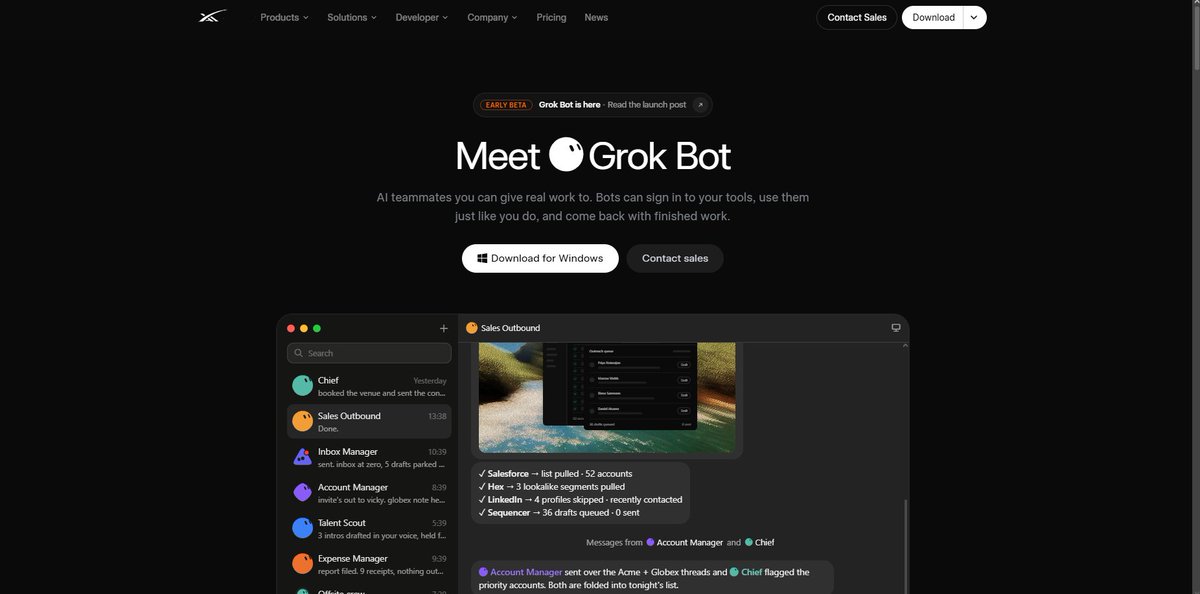
Access is bundled with the higher xAI tiers rather than sold standalone, so check what your current plan already includes before paying twice.
Two things to know before you copy any org chart onto it:
One machine, many bots. Every bot you create shares one persistent cloud computer tied to your account, not to the individual bot. That is exactly why they can hand files, browser sessions and logins to each other. It is also why sensitive credentials do not belong on that machine.
There is a ceiling. Bots and group chats are capped per account, and xAI's own docs tell you to think before adding another one. Good advice. Every extra bot is another thing to debug.
Six businesses, six ledgers, one desk
This is the part everyone gets wrong, so I am going to be blunt about it.
You are not building six chatbots. You are building six ledgers with an owner each.
A ledger is the full state of one business: what came in, what is in progress, what shipped, what got paid, what broke. An agent that owns a ledger is not answering questions about the business. It is the thing responsible for the number at the bottom of it.
The six
#	Business	Agent	Owns the number	Never does
1	Content studio	ECHO	published pieces, reach, list growth	never pitches, never invoices
2	Ecommerce store	CRATE	orders shipped, margin per SKU	never changes prices without approval
3	Service agency	PITCH	booked calls, signed retainers	never delivers the work
4	Digital products	VAULT	units sold, refund rate	never runs paid ads
5	Lead generation	BEACON	qualified leads delivered	never negotiates rates
6	Community / membership	HEARTH	active members, churn	never issues credits
—	The desk	WARDEN	routing, cash, priorities	never touches the work itself
Read the last two columns, not the first two. The businesses are interchangeable. The refusals are the design.
WARDEN is not a manager in the corporate sense. It is a dispatcher with a cash view. It never writes copy, never packs an order, never joins a sales call. Its only job is deciding which ledger gets attention next and stopping anything that touches money.
                              YOU
                               │
                          approvals only
                               │
                            WARDEN
                    routing · cash · priorities
                               │
     ┌──────────┬──────────┬───┴───┬──────────┬──────────┐
     ▼          ▼          ▼       ▼          ▼          ▼
   ECHO       CRATE      PITCH   VAULT     BEACON     HEARTH
  content     store      agency  products  leadgen   community
     │          │          │       │          │          │
   cms        supplier    crm     gumroad   scraper    discord
   social     shipping    calendar  stripe   dialer     stripe
   analytics  ads mgr     docs      support  enrich     email
The three rules that keep this from burning money
I have watched a lot of people wire six agents together and end up with a group chat that spends. These three rules are what separate a desk from a mess.
Rule 1 - Two keys on anything that moves money
No single agent can complete a money action. Ever.
One agent proposes, a different agent verifies against the ledger, and you press the button. Three separate contexts, and none of them can skip the other two.
CRATE: "reorder 400 units of SKU-118, supplier invoice 2,940"
   ↓
WARDEN: checks cash on hand, checks 30d sell-through, checks open POs
   ↓
   PASS with note: "cash covers it, sell-through 71%, no open PO on 118"
   ↓
YOU: approve / hold / kill
If WARDEN cannot verify a number from the ledger, the request dies. It does not go looking for the number itself. A proposal missing a number is a broken proposal, not a puzzle to solve.
Rule 2 - Every action gets a colour, and colours are enforced in code
Not in a prompt. Prompts are suggestions. Code is a wall.
GREEN   runs alone, all night, nobody asks
        read the inbox · draft a post · score a lead
        pull analytics · tag a ticket · write to a scratch file

AMBER   runs, then reports before it lands
        schedule a post · update a product description
        reply to a support ticket · move a deal stage

RED     stops dead, waits for a human
        send money · change a price · publish paid ads
        email a client list · issue a refund · delete records
        cancel a supplier order
Two traps people fall into.
Cancelling is red. People file cancels under "undo" and they are not. A cancelled supplier order on stock you already sold is a hole, and there is no un-cancel button.
Reading can be red. A scraper that burns your API quota at 2am costs you the next four hours of the business that shares the key.
Here is what that looks like as configuration rather than as good intentions:
{
  "permissions": {
    "allow": [
      "read_*", "grep",
      "mcp__analytics__*",
      "mcp__crm__read_*",
      "mcp__store__read_*"
    ],
    "ask": [
      "mcp__cms__schedule_post",
      "mcp__crm__update_stage",
      "mcp__support__reply"
    ],
    "deny": [
      "mcp__bank__transfer",
      "mcp__store__set_price",
      "mcp__ads__set_budget",
      "mcp__mail__blast",
      "mcp__store__cancel_order",
      "mcp__db__delete_*"
    ]
  },
  "hooks": {
    "preToolUse": "./guards/colour_check.sh"
  }
}
deny is not ask. The deny list exists because at 1am you will approve things you should not. Take the option away from your future tired self.
Approvals expire. An approval card nobody answers within twenty minutes dies and logs itself as expired. Missing an opportunity costs you a little. Executing on context that went stale six hours ago costs you a lot.
Rule 3 - Every claim carries its source or the handoff bounces
The moment agents pass numbers to each other, invented numbers start moving through your business at machine speed.
Make it structural instead of a judgment call:
{
  "claim": "SKU-118 sell-through 71% over 30d",
  "value": 0.712,
  "source": "mcp://store/reports/sellthrough?sku=118&window=30d",
  "read_at": "2026-08-27T09:14:02Z",
  "produced_by": "crate",
  "ledger": "ecom"
}
An unsourced number is now a schema violation. It fails before it reaches WARDEN, and WARDEN never has to decide whether to trust it.
This one rule is what let me stop re-checking things by hand. That re-checking tax never shows up in anybody's demo and it eats the entire time saving.
How the agents actually talk to each other
Six independent agents are six businesses. Six agents that hand each other work is a company. The difference is the wiring.
The daily loop
Every ledger runs the same three beat rhythm. Same clock, different work.
07:00  MORNING PULL
       every operator reads its own world and writes a state line
       ECHO   → what published, what performed, what is queued
       CRATE  → orders overnight, stock levels, supplier messages
       PITCH  → replies, booked calls, deals gone quiet
       VAULT  → sales, refunds, support questions
       BEACON → new leads scored, delivery quota status
       HEARTH → joins, cancels, unanswered threads

       WARDEN reads six state lines and writes ONE priority list

12:00  MIDDAY BUILD
       operators work their top two items only
       anything amber gets queued, anything red gets carded

18:00  EVENING CLOSE
       every ledger closes with a number and an exception list
       WARDEN produces one brief for you
       you clear the card queue in about ten minutes
The cross-wire
This is where the money hides, and it is the part almost nobody builds.
Your six businesses are not six islands. They feed each other, and the agents should route that traffic automatically.
ECHO publishes a piece that pulls unusual traffic
  └─→ BEACON tags the inbound as warm, scores it
        └─→ PITCH gets the qualified ones as booked call candidates
              └─→ signed client goes to HEARTH for onboarding
                    └─→ HEARTH sees which questions repeat
                          └─→ VAULT turns the top three into a paid product
                                └─→ ECHO writes the launch content
                                      └─→ loop closes, and it is warmer than last turn
That loop is the actual business. Every other part of this article is plumbing that makes the loop safe to run unattended.
CRATE sits slightly outside it and feeds cash rather than leads:
CRATE margin  ──→ WARDEN cash view ──→ funds ad tests for VAULT
                                  └──→ funds BEACON data spend
What a handoff looks like on the wire
{
  "from": "beacon",
  "to": "pitch",
  "kind": "qualified_lead",
  "priority": "high",
  "payload": {
    "company": "Northline Freight",
    "trigger": "posted 4 ops roles in 14 days",
    "fit_score": 0.81,
    "evidence": [
      "mcp://jobs/search?company=northline&window=14d",
      "mcp://crm/history?company=northline"
    ]
  },
  "expires_at": "2026-08-28T09:00:00Z"
}
Note expires_at. Leads rot. A handoff with no expiry becomes a queue of stale work that some agent will eventually action at the worst possible moment.

The router enforces the org chart, not the prompt
Politeness in a prompt is not a control. Put it in code:
def route(task, desk):
    owner = desk.owner_of(task.ledger)

    # nobody executes on money without a second pair of eyes
    if task.colour == "RED" and not desk.has_verification(task.id):
        return card_to_human(task, reason="red action, awaiting your call")

    # a claim without a source never travels
    if not desk.evidence_complete(task.id):
        return bounce(task, to=task.origin, reason="missing source on a number")

    # operators only see their own slice
    return dispatch(owner, task, desk.slice_for(owner))
desk.slice_for(owner) is the quiet hero of the whole system. PITCH never sees the ecommerce ledger. CRATE never sees the client list. An agent cannot be talked into misusing data it was never handed.
Writing the agents
A prompt describes this one task. A charter describes the seat. You want charters.
In Kimi Code these are skill files that load themselves when the work matches.
---
name: crate-ops
description: Owns the ecommerce ledger end to end
whenToUse: Anything touching orders, stock, suppliers or SKU margin
---

# CRATE — Store Operator

## Owns
Orders shipped, stock cover, margin per SKU, supplier comms.
The number: contribution margin this week.

## Refuses
Never sets or changes a price.
Never cancels a supplier order.
Never runs or edits ads.
Never emails the customer list.

## What good output looks like
A daily state line with four figures, each carrying a source:
orders, stock cover in days, margin, exceptions.
Exceptions are named, not summarised.

## Hard limits
Reorder proposals above 3,000 always go to WARDEN with cash context.
Any SKU below 10 days of cover is an exception, not a note.
Any supplier reply older than 48h without an answer is an exception.

## Rules
If a number is missing, say which one and stop.
Do not estimate margin. Pull it or flag it.
If two data sources disagree, report both and do not pick.
That last rule matters more than it looks. An agent that quietly picks a winner between two conflicting numbers is an agent that has started inventing your business results.
Write the refusals first. Every time. If you cannot write three things a seat must never do, the seat does not exist yet, you just have a vague helper.
Now the money conversation
I am going to be honest with you about this section, because most posts on this topic are not.
These are model numbers, not receipts. They show how the structure reaches six figures and what has to be true for it to work. Your market, offer and close rate decide whether it does. Treat this as arithmetic to argue with, not a promise.
A realistic shape of a 100k month across six ledgers:
Service agency (PITCH)        8 retainers × 4,500       = 36,000
Digital products (VAULT)      620 units × 39            = 24,180
Ecommerce (CRATE)             1,400 orders × 14 margin  = 19,600
Lead generation (BEACON)      3 clients × 3,500         = 10,500
Community (HEARTH)            410 members × 19          =  7,790
Content studio (ECHO)         sponsorships + affiliate  =  4,800
                                                          -------
                                                         102,870
ECHO earns the least and is the most important seat on the desk. It feeds every other ledger. Judge it on what it sends downstream, not on what it bills.
Cost side, running everything through the API:
Model usage across six ledgers        900 - 1,600 / month
Tools, hosting, data, subscriptions   400 -   700 / month
Grok Bot access (bundled tier)              included
                                      ------------------
                                      1,300 - 2,300 / month
The interesting number is not margin. It is cost per finished task, because that is what tells you when to switch billing models. Track it from week one. Flat subscriptions beat per token pricing above a volume threshold, and you cannot find your threshold without your own data.
Build order that actually works
Do not build six agents. You will spend a month debugging a company that has no customers.
WEEK 1   One ledger. The one already making money.
         Run its jobs manually through Kimi Code and watch.
         Write down every place it stalled or guessed.
         That list is your first charter.

WEEK 2   Colour every action in that ledger.
         Put green, amber, red into permissions and a preToolUse hook.
         Break it on purpose. Try to make it spend. Fix what leaked.

WEEK 3   Second ledger, and WARDEN.
         Two operators is where routing starts to matter.
         Build the evidence schema now, before six seats depend on it.

WEEK 4   Wire the first cross-handoff between the two.
         One direction only. Prove it moves work without you.

WEEK 5-6 Ledgers three and four. Reuse the charter template.
         The second half is much faster than the first.

WEEK 7   The SDK wrapper and the schedule.
         Now it runs nights and you check a queue in the morning.

WEEK 8   Ledgers five and six, only if four ran a full week
         without you opening a terminal.
from kimi_agent_sdk import Agent, Session

desk = Session(
    work_dir="./desk",
    skills=["warden", "echo", "crate", "pitch", "vault", "beacon", "hearth"],
    mcp_servers=["store", "crm", "cms", "mail", "analytics", "stripe"],
)

run = Agent(session=desk).run(
    task="Run the evening close on all six ledgers. Card anything red.",
    require_approval=[
        "mcp__bank__transfer",
        "mcp__store__set_price",
        "mcp__ads__set_budget",
        "mcp__mail__blast",
    ],
)

for event in run.events:
    if event.type == "approval_requested":
        push_card(event)     # your queue, your expiry, your decision
The failure list
Everything below broke something for somebody. Read it before you build, not after.
One agent per business, not one agent per tool. Tool shaped agents multiply until you have twenty things to debug and nobody owning a number.
The dispatcher must not do the work. The moment WARDEN starts writing copy, it stops being able to say no to anything.
No agent repairs another agent's bad input. It rejects it and names the missing field. Repairing hides the broken upstream forever.
Shared credentials are a shared blast radius. Grok Bot's one machine per account is a feature for handoffs and a risk for keys. Scope credentials per ledger.
Every seat on the same base model is one blind spot. If they all reason alike, they all miss alike. The honest fix is a different model in the verification chair.
One poisoned data source hits several ledgers at once. If BEACON, PITCH and WARDEN all trust the same feed, a bad feed produces confident agreement instead of a disagreement that catches it.
Coordination gets harder faster than output gets better. Six is not magic, it is the smallest number where each dangerous capability sits in a different chair. Add the seventh only when the sixth got boring.
The point
The thing you are actually building is not six AI workers. It is a desk where every number has an owner, every claim has a source, and everything that moves money stops in front of a human.
The model matters less than people think. K3 gives you the reasoning and the context window to hold a full business day. Kimi Code gives it hands. Grok Bot shows you what the finished thing feels like before you have built it.
The org chart is the product. Six agents, six ledgers, one desk, and a queue you clear in ten minutes a day.
That is what running six businesses looks like when nobody is watching them but you.
If this was useful, I post breakdowns like this every few days.
Related articles

how to automate lead generation (FULL GUIDE)
by the end of this guide you'll know how to generate leads on autopilot for anything. a digital product you sell online, a business generating leads for itself. or someone with no business at all, ge…

How To Make Money With Whop + GrokBot...
i'm going to show you how Grok Bot works, then hand you 10 workflows that drive real cash for your business with whop...

Build a Marketing Intelligence System With Grok Bot
I want one Grok Bot whose entire job is to know what's happening in my market before I do.