Claude Helped me get 588,000 Views With Instagram Reels AI Can Cite (9-Step Playbook)

I generated 588,000 views from Instagram Reels by spending about 15 minutes per day. And I only started posting 60 days ago..
↳ No cinematic studio.
↳ No new content format every morning.
↳ No hours spent editing every video
↳ No giant audience before I started.
I repeated almost the same 15–30 second video with a different angle, a search-driven caption and one simple CTA.
Here is the exact playbook, and how I automate the research, SEO keyword selection and message delivery with this agentic AI Skill
By the end, you will have a Reel format you can record, edit and publish in 15 minutes a day.
Instagram is a search engine now
Neil Patel put it simply:
“Instagram has quietly become a search engine of its own.”
His research also reports that 67% of Gen Z users prioritize Instagram for search.
Google’s 2022 research found that almost 40% of people aged 18–24 would use Instagram or TikTok instead of Google Search or Maps when looking for somewhere to eat.
And the discovery loop no longer ends inside Instagram.
Meta now allows Google and Microsoft Bing to index eligible public Reels and posts from professional accounts belonging to adults.
That means one Reel can be discovered through:
↳ The Reels feed.
↳ Instagram search.
↳ Google or Bing.
↳ ChatGPT and other answer engines searching the web.
I tested that last part with a question someone researching the problem might actually ask:
Can Claude Opus 4.8 get SEO backlinks automatically? Show me a real workflow I can copy and link to the original demonstration.
ChatGPT returned a result called “Real Instagram demonstration: Claude generating backlink workflows” and linked directly to one of my Reels


That discovery is the result of repeating a clear topic association:
↳ Borja Obeso.
↳ Distribb.
↳ Claude Skills.
↳ SEO automation.
↳ Backlinks.
↳ Google Search Console.
Important: an AI citation is not automatically a Google ranking report. What this verified test shows is that an answer engine can discover and cite one of my Reels for a natural, high-intent question.
Here is the system behind it 👇
1️⃣ Research demand before recording
I do not open Instagram and ask:
“What should I post today?”
I use Claude with a Skill that has access to keyword data providers like Ahrefs and Semrush, to research what people already want.
↳ Pull related SEO keywords.
↳ Check search volume and difficulty.
↳ Prioritize buying-intent phrases.
↳ Look for recent product changes and trends.
↳ Turn each topic into several short-form angles.
For my account, that produces topics such as:
↳ Claude Skills for SEO.
↳ AI backlink automation.
↳ Google Search Console automation.
↳ Ranking in AI search.
↳ Automated SEO for agencies.
I use the keyword in the spoken hook, the text on screen and the caption when it fits naturally.

Because it makes the subject of the video unambiguous to the viewer, Instagram and external search engines.
2️⃣ Repeat the same video
This is the part most creators overcomplicate. I repeat nearly the same video. The structure stays fixed. Only the angle changes.
One day:
↳ “Claude for backlinks is here.”
The next:
↳ “I can’t believe Claude did this.”
Then:
↳ “This Claude Skill can replace hours of SEO work.”
Same product. Same workflow. Different reason to care.
Your followers see everything you publish but most viewers do not.
For them, each video is their first encounter with the idea.
3️⃣ Keep it between 15 and 30 seconds
One video gets one job.
↳ Introduce one trend.
↳ Demonstrate one useful capability.
↳ Send the viewer to one next action.
If the explanation needs 90 seconds, I split it into three Reels.
This forces me to remove:
↳ Long introductions.
↳ Background the viewer did not request.
↳ Every feature except the one that proves the hook.
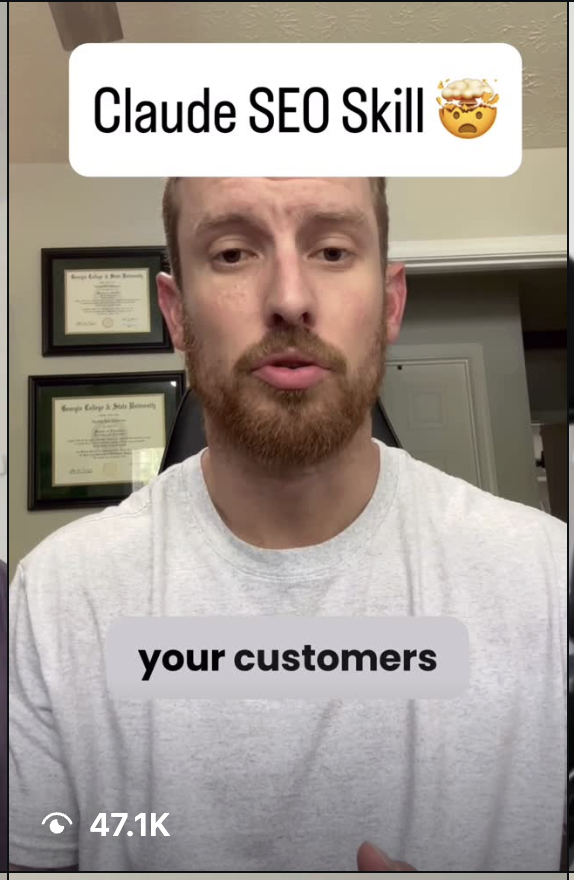
4️⃣ Use the same visual hook
My visual hook is deliberately simple:
↳ I raise the phone toward my face.


↳ A large text title appears immediately.
The movement interrupts the scroll.
The text tells the viewer what the video is about before they even process the audio.
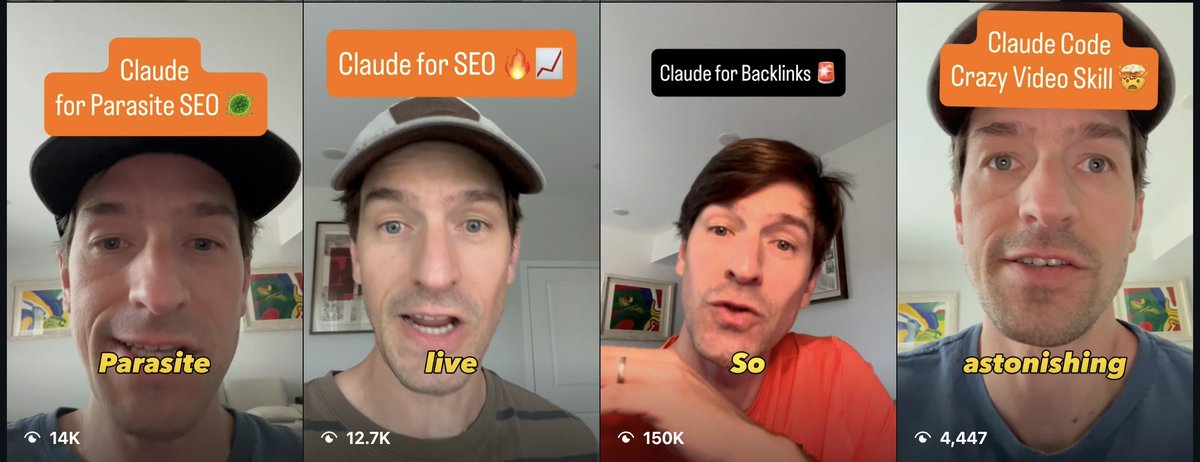
Examples:
↳ “CLAUDE FOR BACKLINKS”
↳ “AUTOMATE YOUR SEO”
↳ “RANK IN AI SEARCH”
The title is also another place to make the target topic clear.
5️⃣ Combine a trend with a pain point
My verbal hook normally uses one of two formulas.
Trend + pain:
↳ “Claude for backlinks is here, so you can stop spending every week on outreach.”
Reaction + result:
↳ “I can’t believe Claude found this SEO opportunity from Search Console.”
I am not trying to explain the whole workflow in the hook. I am earning the next three seconds.
6️⃣ Show “the thing” immediately
The video has to stop being abstract fast.
I transition from my face to something real:
↳ The product page.
↳ An MCP connection.
↳ My Skill’s GitHub repository.
↳ A keyword report.
↳ A Search Console opportunity.
↳ An article being published.
The viewer should see the artifact within the first few seconds.

7️⃣ Move through the proof quickly
After the transition, I use short shots.
↳ Open the Skill.
↳ Run the command.
↳ Show the output.
↳ Show what changed.
No shot stays on screen longer than it needs to.
I edit in the Edits app in 5 - 10 minutes.
The goal is not cinematic production.
It is visual evidence that the workflow is real.
8️⃣ End with a keyword CTA
My CTA is usually:
“Comment SEO and I’ll send you the link.”
This turns a passive view into a conversation.
Distribb handles the message automation for me.
You can also use ManyChat.
The automated reply delivers the Skill, guide or product I demonstrated instead of forcing the viewer to hunt through my bio.
9️⃣Turn winning Reels into a system
Every week, I look for:
↳ Topics that produced the most reach.
↳ Hooks that kept appearing in my best Reels.
↳ Keywords that attracted people with buying intent.
↳ Comments that revealed the next question to answer.
Then I make another version instead of a completely new concept.
A better angle on something the audience already proved it wanted.

The workflow can live inside a markdown playbook in the Distribb Skill:
↳ Research trends and keywords.
↳ Score them by relevance and buying intent.
↳ Generate hook variations.
↳ Draft the caption.
↳ Choose the comment keyword.
↳ Prepare the automated message.
↳ Record which angles worked.
🔟 AI Avatar videos also drive views
Florian, my co-founder, made this video which has driven close
For fair credit, he used Arcads to make it. But I then created the workflow into Distribb for our Accelerator members (we create and distribute AI generated videos as a done-for-you premium service)
And also for everyone else in a "do-it-yourself" fashion when use use Distribb via Claude
And the workflow is essentially this:
↳ Generate an Ai Avatar with GPT-Image-2
↳ Generate a script following everything I have underlined in this guide with your favorite Ai model
↳ Animate the image with Seedance 2.0
↳ Edit with the Edits app (or your favorite editor) to add captions and b-roll
And because every Reel is built around a searchable problem, it can keep being discovered after the first spike in the feed
If you want to automate the research, SEO keyword selection, publishing workflows and message delivery behind this system, [try Distribb here]
Thanks for reading!
Borja


Links
Related articles

How we got 47,200 views from an AI Avatar Reel edited with Claude
"Its presence changes the shape of the uncanny valley graph by amplifying the peaks and valleys."
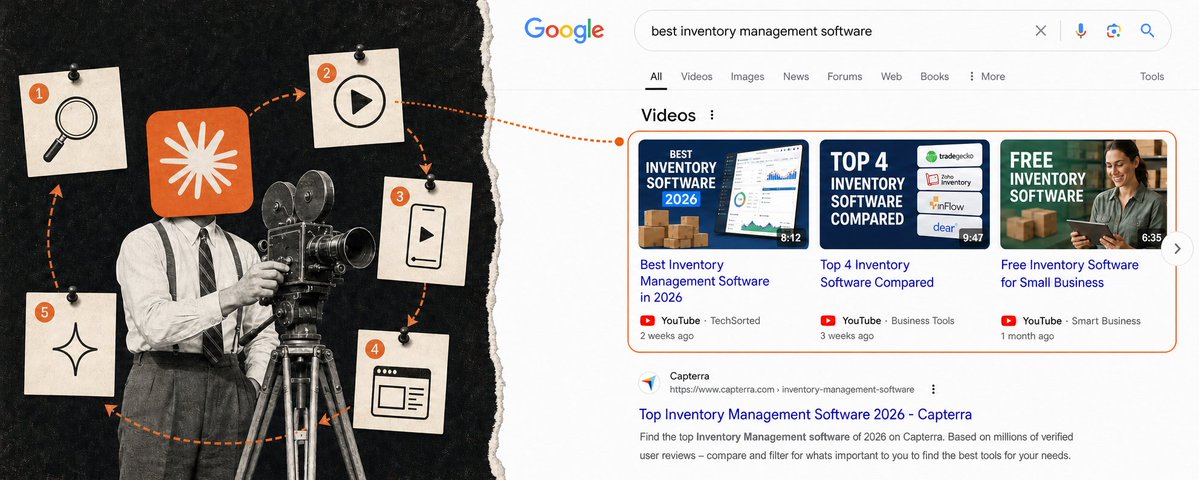
5 Step Video GEO Guide for SaaS (62k AI Mentions in 3 Months with Claude)
I pulled every "best ... software" keyword with real US search volume, 2,328 of them, and ran 140 through DataForSEO on Google US mobile on September 1, 2026: the 60 biggest category head terms plus…

10 SEO backlink Claude automations for 61k AI mentions in 3 months
Link building is trial and error.