How to literally print money with paid ads

How Paid Ads Took Me From $25K a Month to Over $90K This Month
My first 9 months in the app industry, I told everyone that paid ads were a trap for app founders. Influencers were cheaper, the attribution was cleaner, and I could run the whole thing from a spreadsheet and a VA. Then I turned Meta ads on for 2 of my apps and went from $25K a month to over $90K this month, with $27K of that coming in this week alone. That is more than 3.6X in monthly revenue, and I did not change the apps, the pricing, or the onboarding. I changed where the users came from and what they saw before they installed.
This is the full breakdown, written for someone who has never opened Ads Manager. The exact order to do things in, how much money to set aside, what to build before you spend a dollar, why 1 of my apps doubled on day 1 while the other bled money for 3 weeks, and the creative formats that are actually carrying the spend right now. If you want the short version: the setup is boring, the patience is hard, and the creative is everything.
Before any of that, I want to be honest about where this came from. Everything I know about media buying came from a $300 course I bought from a media buyer who spends 9 figures a year on ads. Not a guru, not a course seller with a Lambo, a guy whose actual job is spending more on Meta in a month than most apps make in a lifetime. I watched it in a weekend, copied his structure, and the first campaign I launched with it doubled an app that had been flat for 8 months. If you want the same foundation before you spend a dollar, get it here: Click to open Facebook Ads course. Everything below is what I did with it.
There are 7 steps. Do them in this order. Most people who lose money on ads skipped step 1 or step 2 and went straight to step 5.
Step 1: Make sure your funnel is cracked before you spend a dollar
Paid ads do not fix a weak app. They multiply whatever you already have, and if what you have is a 3% paywall conversion, they multiply that into a very expensive lesson. Before I turned ads on for either app I made sure the funnel could survive tier 1 traffic, and there are 2 numbers I hold every app to. You can pull both of them from RevenueCat in 5 minutes.
The first is conversion to paid. From download to a paying user, meaning a started trial that converts or a direct purchase, you need to be at 10 to 15%. Not 10 to 15% of people who see the paywall. 10 to 15% of everyone who installs. If you are under that, the ads are not the problem and no amount of creative will save you, because Meta is going to send you the same quality of user regardless and 9 out of 10 of them are going to bounce off your onboarding.
The second is revenue per download. Take total revenue from a cohort of users and divide it by the number of installs in that cohort. You need $3 to $5. This is the number that actually decides whether you can scale, because it is the ceiling on what you can afford to pay for an install. Consumer app installs in the US, UK, and Canada are running $3 to $15 right now. If your revenue per download is $1.50, there is no install price in tier 1 that makes the math work and you will lose money on every single user no matter how good the ad is. At $4 revenue per download and a $3 install, you are printing, and every creative win on top of that is pure upside.
Both apps hit these numbers before I spent anything, and that is the only reason the fitness app could double on day 1. The ads did not make the funnel good. The funnel was already good, so the ads had something to multiply.
If you are not there yet, the fixes are boring and they are all inside the app. Hard paywall in onboarding, not buried behind a free tier. Show the paywall after the user has told you what they want and you have shown them the plan, not before. Annual plan first, weekly as the fallback. Test the price. Test the trial length. Run onboarding through 10 people who have never seen the app and watch where they quit. Get to 10 to 15% and $3 to $5, then come back to this article.
Step 2: Set aside the money, and know that the first 3 weeks might eat some of it
This is the question everyone asks me and nobody answers clearly, so here is the math.
Meta needs about 50 purchases in a 7-day window before it knows who to show your ads to. Until it gets there it is guessing, and guessing is expensive. So your daily budget has to be big enough to actually produce purchases, not just installs. The rule I follow is a daily budget of at least 5X your target cost per purchase. If you want to pay $20 per purchase, you are running $100 a day minimum. If you want to pay $30, it is $150 a day.
Then you hold that number for 30 days. Not 7. Not 14. 30. Which means the amount you need to set aside is your daily budget times 30. At $100 a day that is $3,000. At $150 a day it is $4,500.
Here is the honest part. You will not lose all of it. If your funnel is cracked from step 1, your revenue per download is $3 to $5 and your installs are coming in at $3 to $5, so even during the ugly weeks you are getting most of the money back. But you have to be able to watch the first 2 to 3 weeks run at break-even or below without touching anything, and if the money you set aside is money you need for rent, you will touch it. I did, and it cost me 10 extra days of bad numbers.
So the real answer: have $3,000 to $5,000 you are willing to treat as tuition, on top of whatever your app already brings in. If you have $500, do not start paid ads. Go run creators, get your funnel numbers up, and come back when the budget is not scary. Running $15 a day on a purchase-optimized campaign is like teaching someone to drive by letting them touch the wheel once a week. It does not work, and then you will tell people paid ads do not work.
Step 3: Wire up the tracking so Meta can actually see purchases
This is the part most first-time app advertisers get wrong, and it is the difference between a campaign that scales and one that fills your app with people who never open it twice.
For an app there is no browser pixel. Your "pixel" is 3 pieces working together: the Meta SDK inside your app, RevenueCat firing the purchase, and an MMP (a mobile measurement partner like AppsFlyer or Adjust) that catches the purchase and sends it back to Meta as a Purchase event tied to the exact ad that user came from. If any 1 of the 3 is broken, Meta is blind.
The checklist before you spend anything:
- Install the Meta SDK and connect the app to your ad account in Events Manager.
- Connect RevenueCat to your MMP so every trial start and purchase gets forwarded.
- Map the RevenueCat initial purchase event to Meta's Purchase event in the MMP. Not "Subscribe," not a custom event. Purchase. On my fitness app this mapping was wrong for weeks and the algorithm was flying blind. The day I fixed it is the day the numbers started making sense.
- For iOS, set up SKAdNetwork 4.0 and configure Aggregated Event Measurement with your Purchase event ranked at the top. It is tedious. Do it anyway.
- Make a test purchase on a real device and watch it show up in Events Manager as a Purchase. If it does not show up, do not launch.
Then when you build the campaign in step 5, you optimize for that Purchase event. Never installs. Installs are a vanity metric. Meta will happily find you 10,000 people who tap "Get" and never see your paywall. If you optimize for installs, that is exactly who it finds, because that is what you asked for.
Step 4: Make your first 12 to 20 ads, and make them content, not commercials
Everything above is table stakes. It gets you to the starting line. What actually moved me from $25K a month to over $90K this month was the creative, and I want to be specific about what is working, because "make good ads" is useless advice.
The reason creative matters more than it did 3 years ago is that Meta's system now uses your creative as the targeting. When the ad is a shirtless guy in a bathroom mirror talking about a 3-month ab transformation, the system knows who to show that to. When the ad is broadcast fight footage with a phone breaking down an opponent's habits, it knows who to show that to as well. Different angles reach different people, and the accounts with more diverse angles fatigue slower and scale further. The data backs it up. AppsFlyer analyzed 1.1 million video creatives and $2.4 billion in spend and found that the top 2% of creatives drive 43% of all non-gaming ad spend. Most ads lose. The ones that win carry everything, so you need a lot of shots on goal.
Before you launch you want 4 different concepts, and 3 to 5 variations of each. A concept is the idea of the ad. A variation is the same idea with a different first 3 seconds, a different creator, or a different caption. That gives you 12 to 20 ads on day 1, which is enough for Meta to figure out which concept works without you guessing.
Here are the formats that are carrying my 2 apps right now, pulled from what is actually live in my ad accounts. Pick 4 of these for your first 4 concepts.
The reveal. A creator shirtless by a pool, no talking, just B-roll and a caption that says "Fine. I'll literally reveal the secret to getting abs." Then it cuts to a full screen recording of the app: the core score coming back at 88, the "custom abs plan tailored to your genetics and weak points" screen, the routine, and the analysis page that says "Watch your abs transform in weeks." That is the whole ad. It works because the caption is a promise the viewer has to keep watching to collect, and the screen recording pays it off with the actual product instead of a pitch. It is the cheapest format in the account to produce and one of the highest hook rate formats I have ever run.
The tier list. A creator in a gym, text on screen that says "Apps that help you get ABS edition," with GOOD, BETTER, and BEST columns and app icons dropping in one at a time. Ours is BEST. Same idea as the "Top 3 apps for fitness" listicle format, where a shirtless creator flexes, then 3 icons stack up on screen. Both of these work because they are framed as a recommendation, not an ad. AppsFlyer's data shows review and tutorial style UGC pulls 45% higher installs per thousand impressions and 17% better day 7 retention than straight testimonials, and that matches exactly what I see.
The car selfie. Creator in the driver's seat, no production value, talking straight to camera about why most people train abs wrong. Halfway through, an app screenshot or a transformation photo pops up in the corner. It looks like a friend sending you a video. It costs nothing to make. It is the workhorse of the account and I have 6 variations of it running at any given time. If you are starting from zero with no creators, this is the format you can shoot yourself tonight.
The experiment. "Can AI improve my shadowboxing?" A creator shadowboxes on camera, uploads the clip to the app, and the analysis comes back with a red arrow pointing at the mistake. Or "AI boxing app predicted my knockout," which cuts between real fight footage and the scouting screen that called it. This is a tutorial disguised as a story. The viewer learns something about the app while watching someone else use it, which is exactly the format AppsFlyer flagged as the most underfunded high performer in the entire dataset.
The how-to. "How I set up the right hook," ring footage into the opponent analysis screen into the sparring clip where it lands. "How you can hit the pads from home," a drill-along where your health bar drops every time you miss a punch. "This is how I keep my weight on track during camp," weigh-in footage into the calorie tracker. Each of these is a 20 to 30 second lesson that happens to be shot inside the app.
The skit. "That guy who might just be delusional," a creator shadowboxing alone in an empty gym while the caption implies everyone thinks he is crazy, then he checks his phone and the app is coaching him. Scenario first, product second. The dramatized problem earns the product reveal.
The 3D anatomy hook. A grey 3D muscle model with the obliques highlighted and 1 word on screen, then a jump cut to a talking head. It stops the scroll in under 1 second and it is a completely different visual language from everything else in the account, which is exactly why it works next to the car selfies.
Notice what none of these are. None of them are a polished brand video. None of them open with the logo. None of them say "download now" in the first 3 seconds. Every single one either teaches something, ranks something, tests something, or tells a story, and the app shows up as the answer. That is the whole philosophy. Content first, product second, and the purchase event takes care of itself.
Step 5: Build the campaign (it is simpler than you think)
I run 2 different campaign structures depending on the app. If this is your first campaign, use Structure 1. Move to Structure 2 once you have a couple of proven winners.
Structure 1 is a CBO campaign split by concept. CBO means the budget is set at the campaign level and Meta decides how to split it. 1 campaign. 4 ad sets, and each ad set is 1 of your 4 concepts from step 4. Inside each ad set are the 3 to 5 variations of that concept. Meta moves the budget between the 4 concepts on its own, so the ad set that is converting gets fed and the one that is not gets starved without you touching anything. This is the structure I would hand to anyone starting out because it does the hardest decision for you.
Structure 2 is an ABO campaign with 3 ad sets. ABO means you set the budget on each ad set yourself. 1 winning ad set that holds the proven creatives, 1 testing ad set where every new concept goes first, and 1 scaling ad set with 1 or 2 really strong creatives that you can pour spend on without diluting them. Testing feeds winning, winning feeds scaling. It gives you control over exactly how much goes to new ideas versus proven ones, which the CBO structure does not, and that control only matters once you actually have winners to protect.
Either way, the settings are the same:
- Campaign objective: App promotion, Advantage+ app campaign.
- Optimization event: Purchase. Not installs.
- Countries: United States, United Kingdom, and Canada.
- Targeting: nothing. No interests, no lookalikes, no age brackets, no gender split.
- Placements: Advantage+ placements on.
- Budget: the number you worked out in step 2.
I know it looks lazy. It is not. Since Meta rolled out its Andromeda ranking system in late 2024, the algorithm predicts which specific ad each individual person is most likely to respond to. It is not grouping people into buckets anymore, so when you stack interest targeting on top you are shrinking the pool it can learn from and paying more per result for the privilege. Every media buyer I respect now says the same thing: open targeting and let the creative do the targeting. The course I mentioned above drilled this into me and it has held up on every account I have touched.
Why only 3 countries? Because they are the highest-value English-speaking markets and I do not want to localize creative. My blended CPM (cost per 1,000 impressions) across US, UK, and Canada combined is $10. Industry benchmarks put the US alone around $23, so the UK and Canada are pulling the average down hard, and even at $10 that is 3 to 4X what you would pay in India or the Philippines. That sounds bad until you look at lifetime value. A US user paying full price for an annual fitness subscription is worth the CPM. A user in a market where the subscription price is 80% lower and the bot traffic rate can hit 20 to 30% is not. I would rather pay more per thousand impressions and know the purchases are real.
Step 6: Launch it and do not touch it for 30 days
I launched 2 apps at the same time with the same structure. The fitness app was profitable on day 1 and had doubled its daily revenue by the end of week 1. The boxing app lost money for 3 straight weeks. Same setup, same countries, same budget philosophy, same person running it.
To understand why, you have to understand what Meta is actually doing with the tracking you set up in step 3. Every purchase that comes back through your MMP is 1 data point. Meta does not know your app is good. It does not know your paywall converts. It only knows that user 4,812 saw ad 7, installed, and 40 minutes later a Purchase event came back with a dollar value attached. Its job is to find the pattern in those data points: what those buyers have in common, what they were doing before they bought, which other advertisers they buy from, what time of day they convert, what placement they were in. Then it goes and finds more people who match.
That is why optimizing for installs breaks everything. If the event you send back is Install, Meta learns what an installer looks like, and installers are cheap and everywhere. If the event you send back is Purchase, it learns what a buyer looks like, and it can only learn that from actual purchases. With zero purchases it is guessing. With 10 it has a rough sketch. With 50 in a week it has enough to stop guessing, and that is the whole learning phase.
In learning, the ad set is exploring. It is deliberately spreading impressions across different types of people, placements, and times to see who converts, and it is paying for the misses. That is why your cost per purchase in days 1 to 3 can run 2 to 3X where it will land. It is not that the ads are bad. It is that Meta is buying information. Once it has the 50 events, it flips from exploring to exploiting and starts concentrating spend on the patterns it found. The cost per purchase drops and it keeps dropping as the model sharpens, which is exactly the shape the boxing app followed: 3 weeks of paying for information, then 2 weeks of collecting on it.
The fitness app doubled on day 1 because millions of people in US, UK, and Canada have bought a fitness subscription from somebody, so the pattern was easy to find and Meta hit 50 purchases in days. The boxing app is a niche. There are far fewer people who have ever bought a boxing training app, so it needed 3 weeks to find 50 of them, and every miss along the way cost money. Same algorithm, same setup, different amount of information it had to buy before it could work.
Now the rule that will save you the most money. Every time you change the budget by more than 20 to 25%, swap the optimization event, edit the audience, or add and remove ads, the learning resets to zero and Meta starts buying information all over again. In week 2 of the boxing app I panicked, cut the budget in half, and turned off 3 ads. I reset my own learning phase and bought myself another 10 days of bad numbers. The course was very clear about this and I ignored it anyway because losing money for 14 days in a row does something to your brain.
Week 3 the boxing app hit break-even. I did nothing. 2 weeks after that we were at 3X return on spend and it has held. The pixel learned. That is the entire story. If I had killed it on day 18 I would have written an article about how paid ads do not work for niche apps.
So for your first 30 days: check the numbers every morning, write them down, and change nothing. If you need to raise the budget, raise it by 20% at a time and no more than once every few days. That is it.
Step 7: After 30 days, start testing weekly and feeding the winners
Once you are out of learning and profitable, the job changes from waiting to feeding. This is where Structure 2 comes in.
Every new concept goes into the testing ad set first. Anything that beats the account average cost per purchase after 72 hours and at least 5 purchases gets moved into the winning ad set. The 1 or 2 creatives that keep winning after that graduate to the scaling ad set, where they get the majority of the budget and nothing else competes with them. Anything in the bottom half after 7 days gets killed and replaced. On the CBO app it is the same logic, except a winning variation gets cloned into its concept ad set and Meta handles the budget shift. I try to ship 10 to 15 new variations a week across both apps, which sounds like a lot until you realize most of them are the same 30 second video with a different first 3 seconds.
The first 3 seconds are the ad. Hook rate, meaning 3 second video views divided by impressions, is the metric I check first every morning. Under 25% and the ad is dead no matter what the rest of it says. 30 to 40% is good. Over 40% and I am already cutting variations of it. Hook and hold rates move 5 to 7 days before cost per purchase does, so they are the earliest warning you get that a winner is about to become a loser.
The whole thing in 7 lines
- Get your funnel to 10 to 15% conversion to paid and $3 to $5 revenue per download.
- Set aside $3,000 to $5,000 you can burn.
- Wire SDK, RevenueCat, and MMP so a test purchase shows up as a Purchase in Events Manager.
- Make 4 concepts, 3 to 5 variations each, content first and product second.
- Build 1 CBO campaign, 4 ad sets by concept, purchase optimization, US UK CA, no targeting.
- Launch and do not touch it for 30 days. Expect 2 to 3 weeks of ugly numbers if your niche is small.
- Then test weekly, kill the bottom half, and pour spend on the 1 or 2 creatives that keep winning.
I went from $25K a month to over $90K this month doing exactly that, and $27K of it landed this week. The setup took me an afternoon. The patience took 3 weeks. The creative is a full-time job, and it is the best job I have.
If you want the exact foundation I started with, the $300 course from the media buyer spending 9 figures a year is here: Facebook ads course. It is the best money I have spent on this business and it is not close.
And if you want to work with me 1-1 go to georgelampropoulos.com and book a call.
Related articles

Mars men's full meta ads playbook (4,512 ads)
Mars Men has 4,512 ads live on Meta right now, on a Facebook page that only exists since December 2023.
How to Start a 6 Figure Faceless YouTube Channel (Full Breakdown)
I've helped over 400 people start profitable faceless youtube channels. i've ran over 50 channels myself. Generated over $4 MILLION by age 25. Worked with youtubers that have 10 million+ subscribers,…
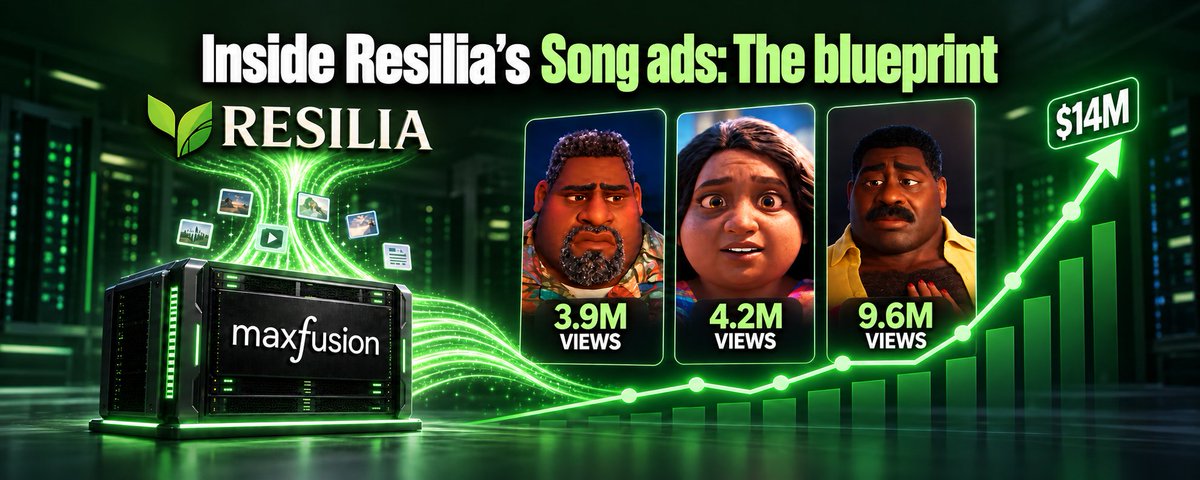
Inside Resilia's $14M Song Ads: The Blueprint Behind Their Winning VSLs
In these ads, the pain is always presented as dialogue that comes from other characters, so the hero never describes themselves this way.